
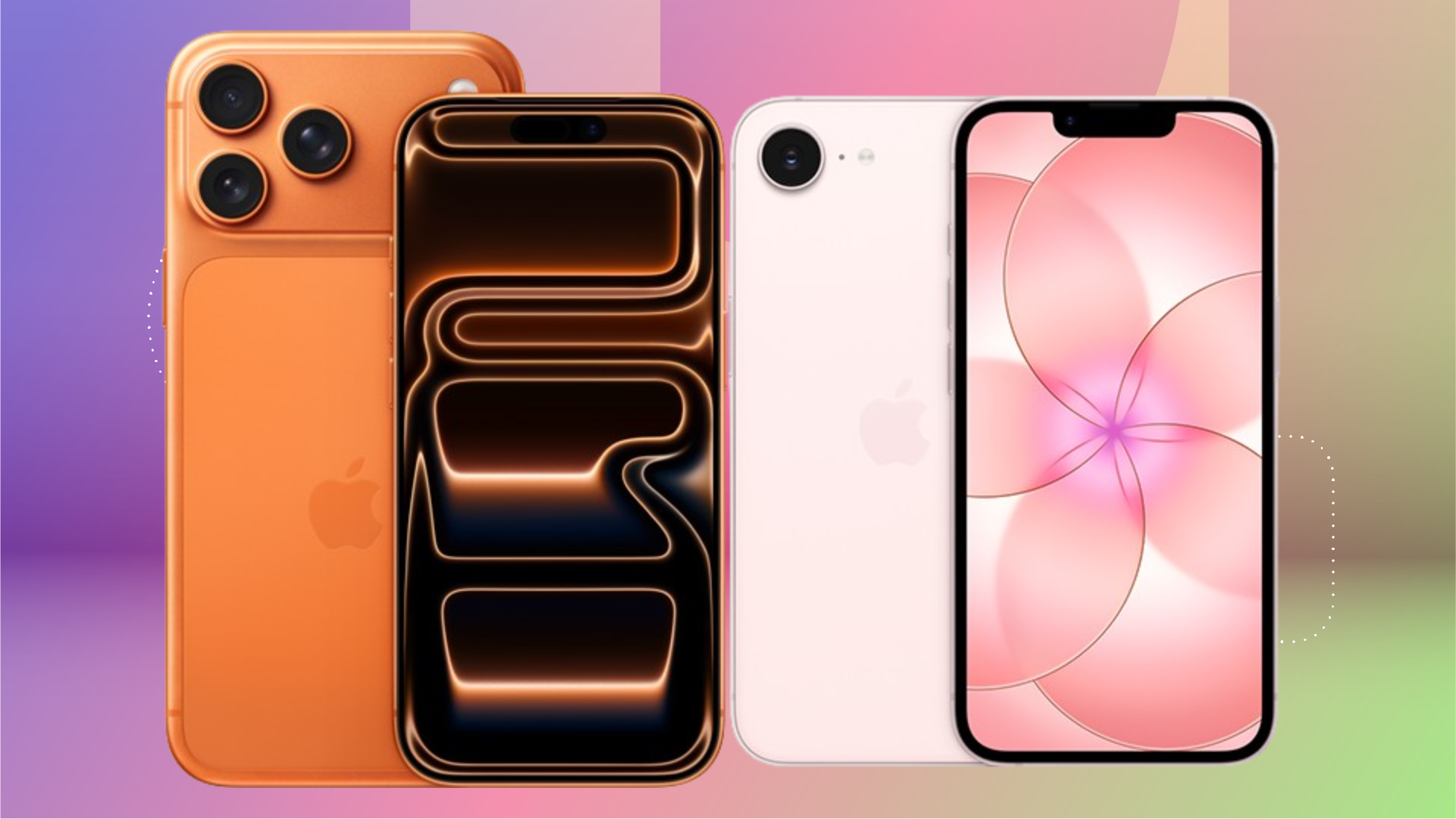
The upcoming iOS 27 camera upgrades represent one of the most significant software transformations in the history of the iphone, turning a standard mobile utility into a sophisticated professional tool. Apple is preparing to release this major operating system update on Monday, September 14, 2026, according to reports from RBC-Ukraine. The update promises to overhaul the native Camera app, integrating advanced artificial intelligence and manual controls that were previously the exclusive domain of third-party applications.
Key Takeaways
- Major UI Overhaul: The Camera app will feature a redesigned interface with a new menu button relocated for better ergonomics and customizable “widgets” for rapid control access.
- Siri AI Integration: A new “Siri mode” will leverage visual intelligence to allow users to interact with the world through their viewfinder, translating text and identifying objects in real-time.
- Professional-Grade Tools: Manual controls, including shutter speed, white balance, and histogram viewing, are being introduced to the native app.
- Hardware Exclusivity: While most features will work on models from the iPhone 11 upward, high-end capabilities like variable aperture are exclusive to the iPhone 18 Pro and Pro Max.
- Strategic Shift: The update aims to consolidate the mobile photography market by reducing the necessity for specialized third-party photography software.
- Manual Shutter Speed: Allows users to control the duration of light exposure, essential for capturing motion or long exposures.
- White Balance Adjustment: Provides precise control over color temperature to ensure accurate skin tones and environmental lighting.
- Manual Focus: Gives photographers direct control over the lens focus point, moving beyond the standard tap-to-focus mechanism.
- Histogram Viewer: A visual representation of exposure levels, helping users assess light distribution and prevent overexposed or underexposed shots.
- newsukraine.rbc.ua
- www.cnet.com
- 9to5mac.com
What Happened
As Apple approaches its annual software cycle, reports from RBC-Ukraine and leaks from Bloomberg’s Mark Gurman suggest that iOS 27 is more than a routine update. The core of the release focuses on a comprehensive redesign of the iPhone’s primary imaging software. On September 14, 2026, users will receive an update that fundamentally changes how they interact with their device’s lens.
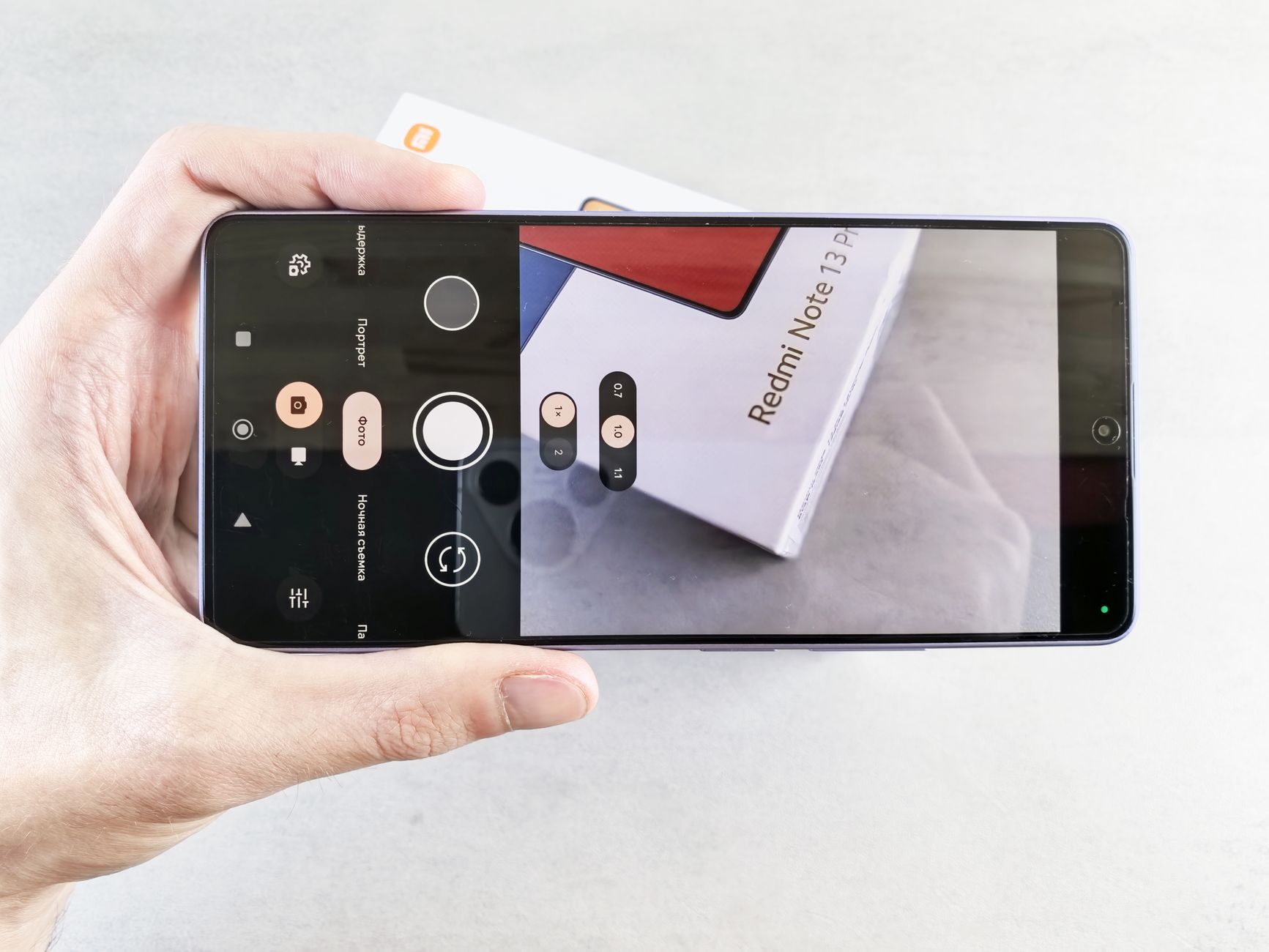
According to Kateryna Ivaniuk of RBC-Ukraine, the update transitions the Camera app from a basic point-and-shoot utility into a professional-grade instrument. This change is accompanied by a significant interface redesign. The primary menu button, which houses secondary settings, has been moved to a more prominent position to the right of the main shutter button to improve ergonomics. This redesign is intended to allow for one-tap navigation, reducing the number of steps required to access deep settings.
Why It Matters
For years, iPhone users seeking granular control over their photography—such as adjusting shutter speed or monitoring exposure via a histogram—have had to rely on third-party applications. The introduction of these tools into the native iOS ecosystem represents a strategic move by Apple to keep users within its proprietary software environment.
By providing “professional” features natively, Apple effectively reduces the market share for specialized photography apps. Furthermore, the update extends the functional lifecycle of older hardware. While the newest iPhone 18 Pro will receive the most advanced features, the core UI improvements and manual tools will be available to a wide range of users, from those owning the iPhone 11 to the iPhone 17 Pro. This ensures that even legacy users benefit from modern photographic workflows, even if they lack the specialized hardware required for certain high-end modes.
Deep Dive: The Evolution of the Camera Interface
A New Way to Navigate
One of the most visible changes in iOS 27 is the introduction of customizable controls. Apple is reportedly moving away from a static menu toward a more modular system. In modes such as Photo, Video, and Portrait, users can now access a controls panel by tapping a six-dot icon in the bottom-right corner.
According to reports from CNET, Apple is developing specialized in-app controls referred to as “widgets.” Unlike the large widgets found on the Home or Lock screens, these are small, functional tools that can be pinned to the top of the Camera interface. This allows users to create a bespoke layout, choosing which tools—such as flash, exposure, timer, or depth of field—are most accessible for their specific shooting style.
Professional Tools and Manual Control
The inclusion of manual adjustments is a direct response to the growing demand for high-end mobile photography. The update introduces a suite of tools designed for “precise frame adjustments,” including:
Hardware Capabilities Matrix
To understand the distinction between the various iPhone models receiving the update, it is necessary to look at the hardware-software synergy. While the software provides the interface, the physical sensors and lenses dictate which advanced features can be utilized.
| Feature/Capability | iPhone 18 Pro & 18 Pro Max | iPhone 11 through iPhone 17 Pro |
|---|---|---|
| Redesigned UI/Menu | Supported | Supported |
| One-Tap Navigation | Supported | Supported |
| Manual Shutter/Focus/WB | Supported | Supported |
| Histogram | Supported | Supported |
| Variable Aperture | Supported (Exclusive) | Not Supported |
The Rise of the AI-Powered Camera: Siri Mode
Perhaps the most radical departure from previous versions of iOS is the integration of Siri AI directly into the camera experience. This new “Siri mode” is designed for all AI-compatible iPhones and requires the enabling of Siri AI support to function.
This mode leverages what is known as “Visual Intelligence.” Rather than just capturing an image, the camera becomes an active participant in the user’s environment. By looking through the viewfinder, users can perform complex tasks without leaving the app. For instance, a user can snap a photo of a text-heavy document in a foreign language to receive an instant translation, or capture an event flyer to automatically populate their digital calendar with dates and locations.
Furthermore, the integration extends to lifestyle utility. The camera can identify plant species to provide care instructions or scan food items to retrieve nutritional information. This evolution aligns with reports from Bloomberg’s Mark Gurman, which suggest that Siri is undergoing a massive architectural rebuild to transition from a reactive assistant into an “always-on AI agent.”
Siri as an Agentic Interface
Beyond the camera, the new Siri is expected to be more conversational and capable of taking actions across various apps. CNET reports that this agentic Siri may live within the Dynamic Island, appearing as a large animation when activated. There are also rumors of a “Search or Ask” bar that allows for seamless integration with third-party AI models like ChatGPT and Google Gemini, potentially making the iPhone a centralized hub for generative AI queries.
What It Means for You
The impact of iOS 27 varies significantly depending on how you use your iPhone:
For the Casual User
If you primarily use your iPhone for social media and quick snapshots, the most noticeable benefit will be the improved ergonomics. The redesigned menu and one-tap navigation mean you can access settings like Flash or Night Mode more quickly, reducing the friction of capturing a moment before it passes.
For the Photography Enthusiast
If you have previously felt limited by the iPhone’s “black box” approach to photography, this update is a major milestone. The ability to manage shutter speed and white balance natively means you can achieve much more intentional compositions without paying for expensive third-party subscriptions. The addition of Photographic Styles 3, which introduces new texture and grain controls, will allow for much deeper creative expression.
For the Professional
For those using the iPhone 18 Pro as a legitimate creative tool, the exclusive features like variable aperture and Apple Reference Mode are critical. Reference Mode allows you to capture and view images that act as “digital negatives,” enabling you to verify exactly what the sensor captured before any post-processing occurs. This level of transparency is essential for professional workflows.
Counterpoints and Open Questions
Despite the excitement surrounding these upgrades, several concerns remain. First is the issue of interface complexity. While professional tools are welcome, adding histograms and manual shutter controls may overwhelm casual users or disrupt the muscle memory of those accustomed to the simpler, previous versions of the Camera app.
Second, there is the matter of hardware disparity. Apple is once again creating a clear divide between its flagship models and its legacy devices. While an iPhone 11 user gets the new UI, they are fundamentally excluded from the most advanced photographic hardware features, such as variable aperture, which may lead to consumer frustration.
Finally, the evolution of Siri into an “always-on AI agent” raises significant privacy concerns. As Siri gains the ability to use personal user data to act as an agent across various apps, questions regarding data security and how much of a user’s visual and textual environment is being processed in the cloud remain unanswered. Apple has not yet provided detailed documentation on how this visual intelligence data is handled to ensure user privacy.
What Happens Next
The rollout of these features follows a highly anticipated timeline. The initial groundwork for these capabilities was laid during the WWDC26 developer conference, which took place from June 8 to June 12, 2026, at Apple Park.
Following the developer previews, the general public can expect the official release of iOS 27 on Monday, September 14, 2026. This release will serve as the primary catalyst for a new wave of mobile photography, as users test the limits of the new manual controls and Siri’s visual intelligence in real-world scenarios. Watch for subsequent software patches in late 2026, which will likely refine the AI’s accuracy and the customization of the new camera widgets.
Frequently Asked Questions
Will the new manual camera controls work on my older iPhone?
Yes, most of the professional tools, including manual shutter speed, white balance, manual focus, and the histogram viewer, are expected to be supported on models ranging from the iPhone 11 through the iPhone 17 Pro. However, certain hardware-dependent features, specifically the variable aperture, will only be available on the iPhone 18 Pro and Pro Max models.
How does “Siri mode” work in the Camera app?
Siri mode utilizes “Visual Intelligence” to turn your camera into an interactive information tool. Once enabled, you can use the viewfinder to perform actions like translating text in real-time, identifying plants or objects, and retrieving nutritional information from food. It essentially allows the AI to “see” what you see and provide contextually relevant data through a conversational interface.
What is the difference between Photographic Styles 3 and standard filters?
Unlike standard filters that apply a static color overlay to an image, Photographic Styles 3 offers much deeper control over the underlying image processing. The new update specifically adds texture and grain controls, allowing users to more precisely dial in a specific “look” that affects how the camera interprets light and detail, rather than just changing the color palette.
Is the new Camera UI completely different?
While the core functionality remains familiar, the layout is significantly redesigned for better ergonomics. The most notable change is the relocation of the menu button to the right of the shutter button and the introduction of customizable “widgets” at the top of the screen. This allows you to move your most-used tools to the most accessible parts of the interface.
As Apple continues to bridge the gap between mobile convenience and professional utility, iOS 27 stands as a testament to the company’s commitment to hardware-software integration
References
Featured image: Image via CNET


2 thoughts on “iOS 27 Camera Upgrades Explained: New Pro Features”