The kindle Paperwhite signature edition has emerged as the premium centerpiece of Amazon’s 2026 e-reader lineup, introducing significant hardware refinements that transition the device from a luxury “splurge” to a more essential, high-end tool for power readers. As Amazon unveils its redesigned collection of e-readers, the Signature Edition stands out by moving away from the strictly plastic construction of previous generations in favor of a more sophisticated, aluminum-backed design.
Key Takeaways
- Premium Build: The 2026 model features an all-metal aluminum rear panel, providing a more “tablet-like” feel compared to standard plastic models.
- New Accessory Ecosystem: The introduction of magnetic pogo pins allows for exclusive hardware like the Page Turn Cover and a new Charging Stand.
- Hardware Refinements: Key changes include a relocated power button on the top right edge, an integrated accelerometer for automatic screen rotation, and a slimmer, lighter profile.
- Pricing Shift: The Signature Edition is priced at $249.99, representing a notable increase over previous launch prices.
- Display Upgrades: The device maintains a high-contrast 300 ppi display but introduces new software gestures like double-tapping to turn pages.
- Owners of pre-2021 models: The upgrade will feel massive. The improvements in screen quality, build, and the addition of auto-rotation and improved speed justify the cost.
- Owners of 2024 Signature Edition models: The upgrade is likely unnecessary. Unless you specifically desire the aluminum build or the ability to use the Page Turn Cover, the core reading experience remains largely consistent with the previous generation.
- mashable.com
- lifehacker.com
- www.tomsguide.com
- www.engadget.com
What Happened: The 2026 Kindle Redesign
In late October 2026, Amazon released a complete overhaul of its Kindle ecosystem, introducing a new tiered lineup that includes the base Kindle, the standard Paperwhite, the Kindle Paperwhite Signature Edition, and the Kindle Colorsoft Signature Edition. This release marks one of the most significant design shifts for the company in years, moving toward a more cohesive, premium aesthetic across its flagship devices.
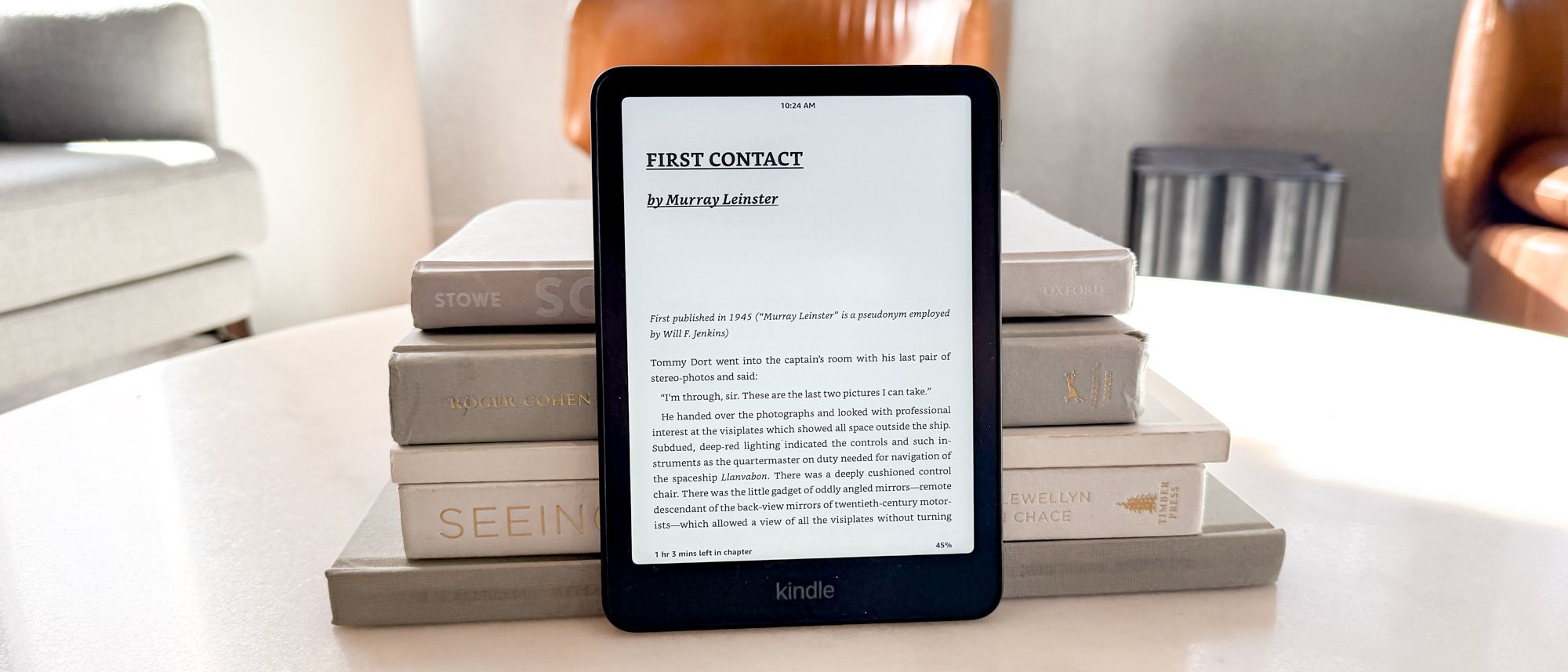
The Kindle Paperwhite Signature Edition is positioned as the high-performance option within the Paperwhite family. Priced at $249.99, it offers 32GB of storage and several hardware features not found on the $199.99 standard Paperwhite. According to reports from Tom’s Guide, the device is approximately 1mm thinner and features squared edges that give it a more modern, smartphone-like appearance.
One of the most immediate physical changes is the relocation of the power button. While previous models placed the button on the bottom edge, the 2026 Signature Edition moves it to the top right edge. Tony Polanco of Tom’s Guide noted that this change is a “huge game-changer,” particularly for users who frequently experienced accidental shutdowns when handling older models.
Why It Matters: Solving the “Oasis” Void
For years, Kindle enthusiasts have expressed a growing dissatisfaction with the lack of physical page-turning buttons on Amazon’s devices. Following the discontinuation of the Kindle Oasis, which was beloved for its tactile controls, many users felt the lineup had lost its most ergonomic feature.
Amazon’s response to this demand is not to build more buttons into the devices themselves, but to adopt a modular approach. According to a report by The Verge, Amazon has explicitly stated that it “won’t be making Kindles with buttons.” Instead, the company has pivoted to a hardware-accessory strategy. The 2026 Signature Edition is the only model in the Paperwhite line equipped with magnetic pogo pins on the back, which serve as the gateway to the new Page Turn Cover.
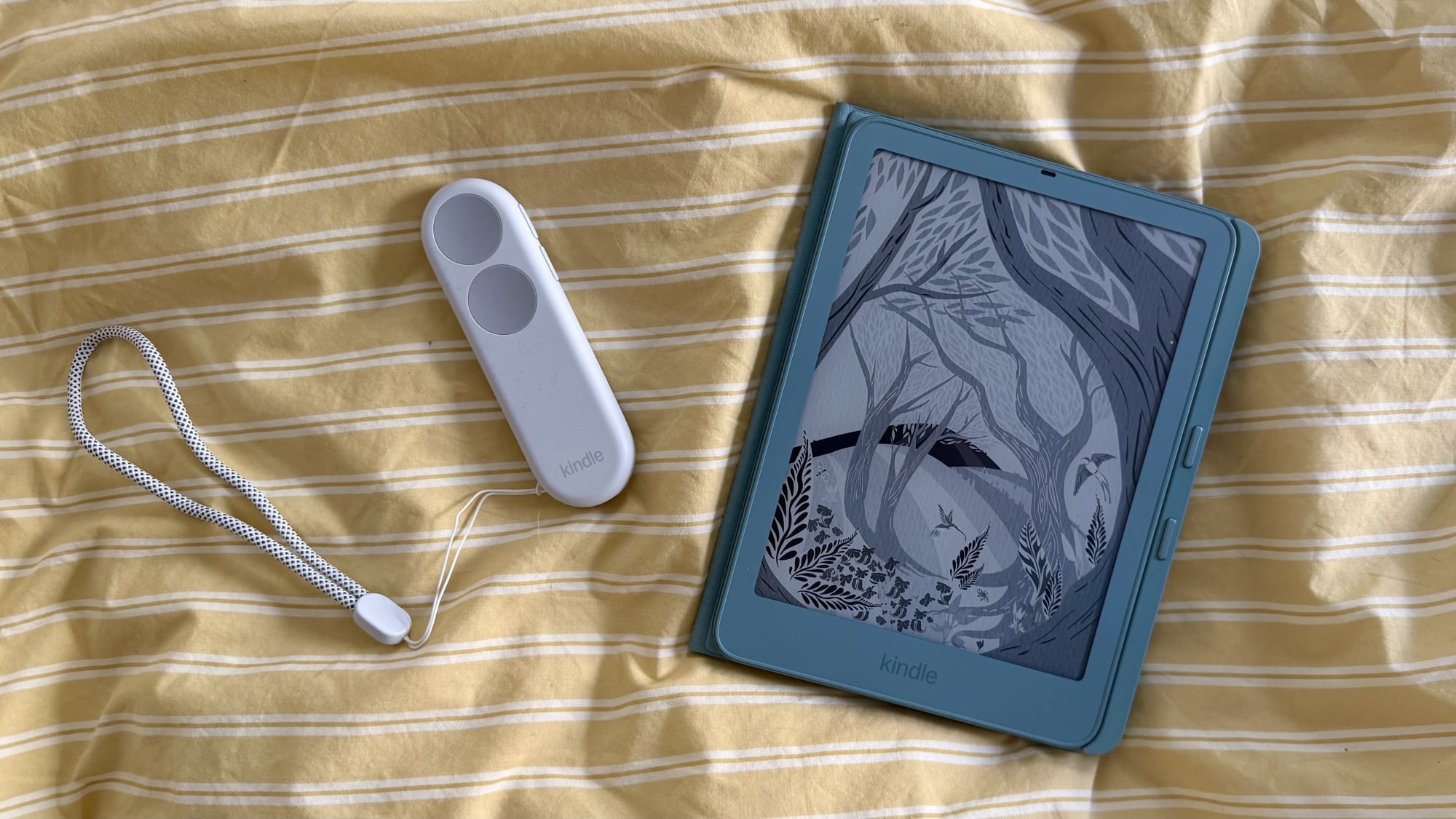
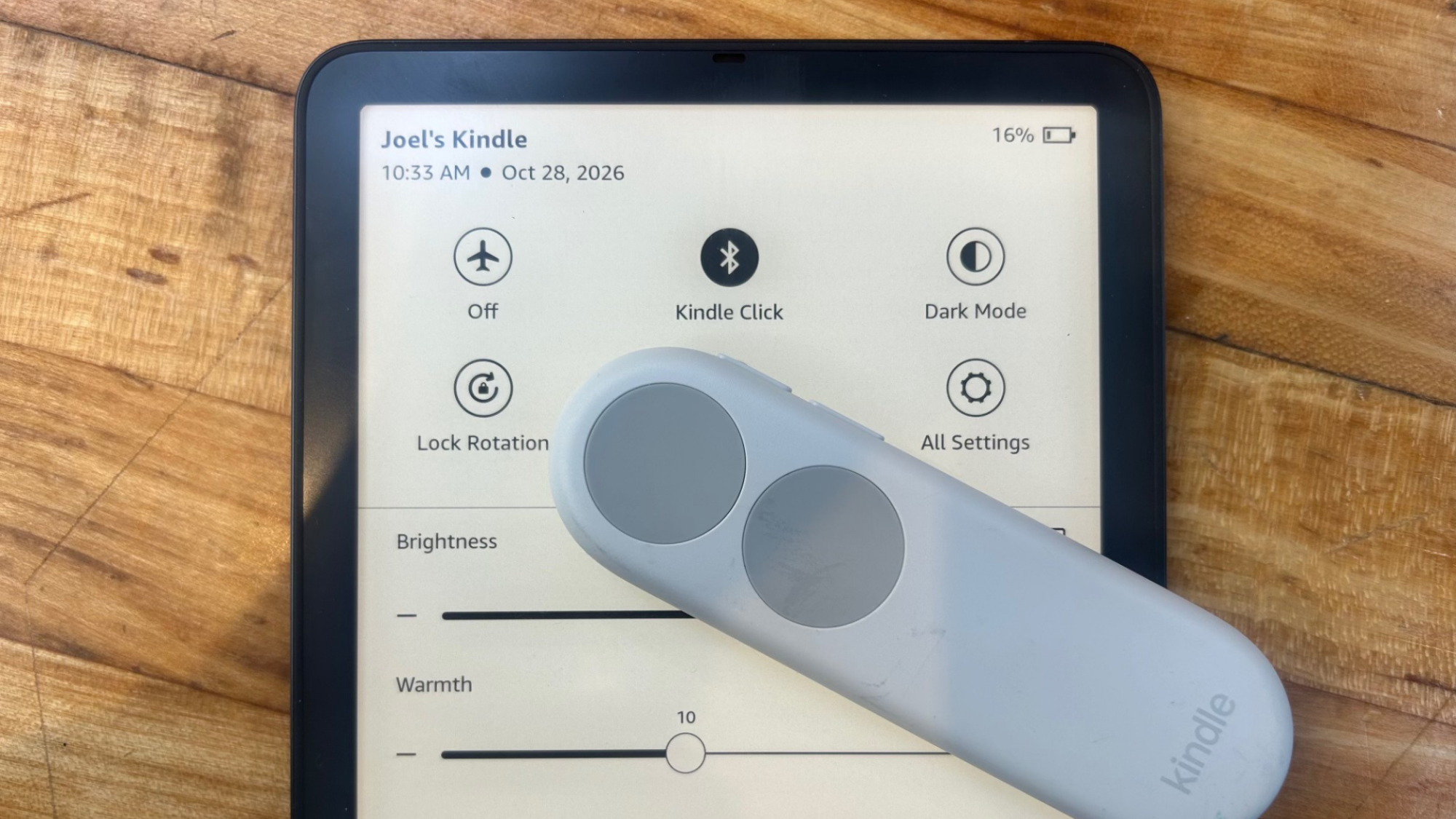
This cover, priced at $79.99, magnetically attaches to the device to provide physical page-turning buttons. This strategic move allows Amazon to maintain a streamlined device design while still catering to the segment of the market that demands tactile feedback. For power users, the ability to pair the Signature Edition with this cover—or the $34.99 Kindle Click remote—transforms the e-reader into a much more versatile tool for long-form reading.
Deep-Dive: Hardware, Display, and Performance
The Premium Build and Ergonomics
The most striking difference between the standard Paperwhite and the Signature Edition is the material composition. While the standard model utilizes a plastic casing, the Signature Edition features an all-metal aluminum rear panel. This change significantly impacts the device’s weight and hand-feel. The Signature Edition weighs approximately 8.1 ounces, whereas the standard plastic models weigh roughly 7.2 ounces.
While the Signature Edition is slightly heavier, reviewers suggest the trade-off is worth the increased durability and sophistication. Samantha Mangino, a lead shopping reporter at Mashable, observed that the device “now feels like more sophisticated tech,” comparing its feel to an iPad Mini due to the squared edges and premium finish.
Display Technology and Visual Clarity
The 2026 Signature Edition continues to utilize a 7-inch, 300 ppi display designed to mimic the appearance of paper. Amazon has implemented an oxide-thin film transistor backplane to achieve what the company claims is its highest contrast ratio yet. This technology is intended to provide deeper blacks and crisper text, though real-world testing results have been mixed.
| Feature | Standard Paperwhite (2026) | Paperwhite Signature Edition (2026) |
|---|---|---|
| Price | $199.99 | $249.99 |
| Storage | 16GB | 32GB |
| Build Material | Plastic | Aluminum |
| Pogo Pins | No | Yes |
| Auto-Rotation | No | Yes |
| Weight | ~7.2 oz | 8.1 oz |
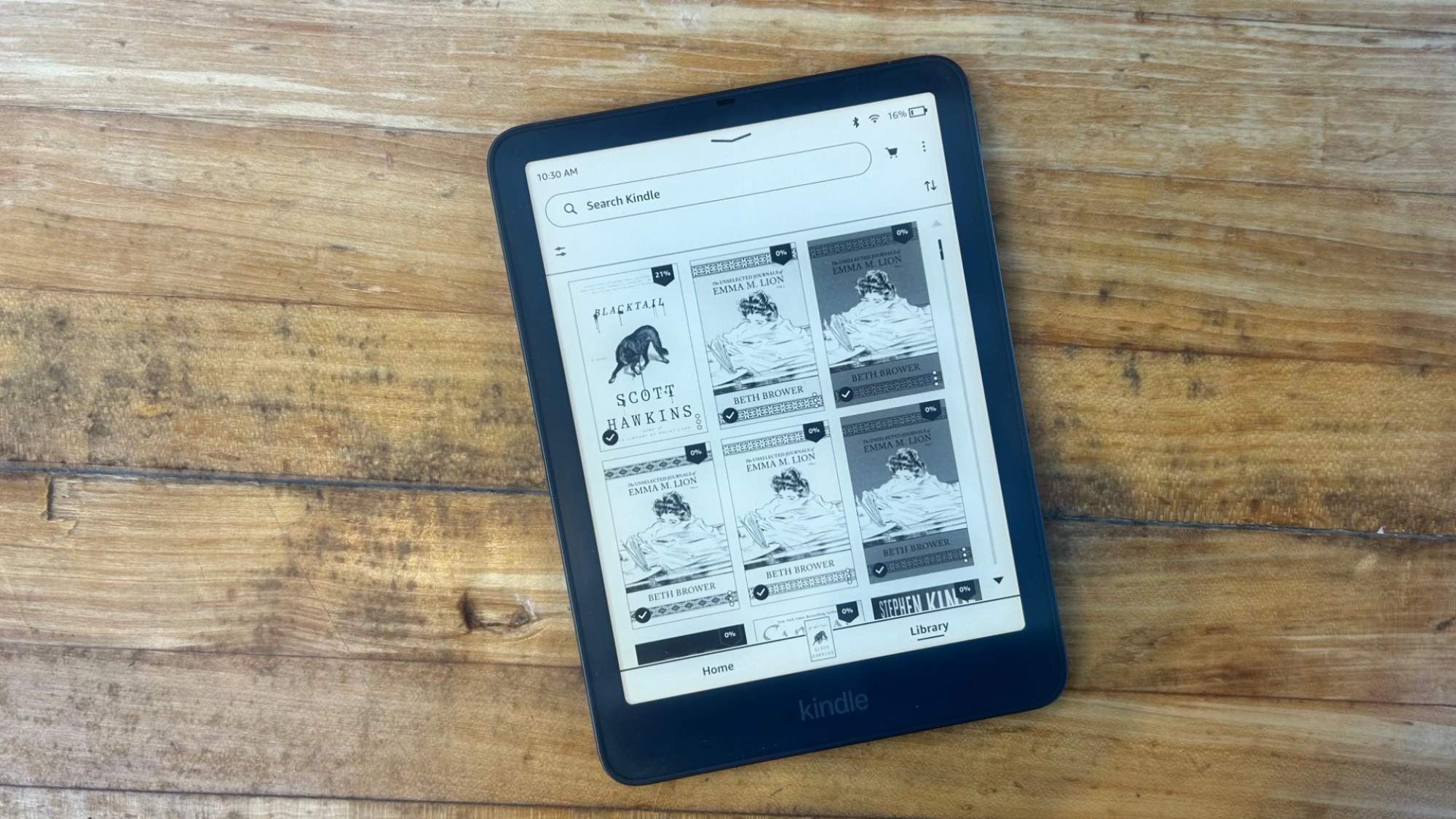
Despite these technical improvements, the new flush-front design—where the screen is covered by a layer of glass to create a smooth surface—has been a point of contention. On platforms like Reddit, some users have expressed concerns that the additional layer of glass creates a physical barrier that could potentially reduce text clarity. While Amazon claims the display is “anti-glare,” Tony Polanco of Tom’s Guide noted that while it does a “fine job of minimizing glare overall,” it does not strictly meet the anti-glare claim under all lighting conditions.
Performance and Navigation
Under the hood, the 2026 Signature Edition offers improved responsiveness. While Amazon claims its new base Kindle is 30% faster than its predecessor, reviewers have noted that the speed improvements on the Paperwhite Signature Edition are present but perhaps not transformative. The device feels “quick and zippy” when downloading books or navigating menus, but the difference may be negligible for those upgrading from a 2024 model.
One notable software addition is the double-tap gesture. Users can now turn pages by double-tapping the left or right sides of the display. Furthermore, the inclusion of an accelerometer allows for automatic screen rotation. This is particularly useful for readers who switch between portrait and landscape orientations, such as when reading in bed or while traveling.
The Accessory Ecosystem: A New Way to Charge
Perhaps the most controversial change in the 2026 Signature Edition is the transition away from universal charging standards. Amazon has ditched the Qi-compatible wireless charging found on the 2024 models in favor of a proprietary system using the aforementioned pogo pins.
To utilize wireless charging with the new model, users must purchase the Amazon Charging Stand, which is priced at $59.99. This decision has been met with criticism by those who prefer the flexibility of open-standard wireless charging. However, the pogo pins serve a dual purpose, acting as the connection point for the Page Turn Cover and other upcoming accessories. This creates a highly integrated, albeit closed, ecosystem that rewards users who invest in the Signature Edition hardware.
What It Means for You
Whether or not the Kindle Paperwhite Signature Edition is worth the premium depends heavily on your current setup and reading habits.
If you are a new e-reader buyer:
If you are looking to enter the Kindle ecosystem for the first time, the Signature Edition offers the most complete experience. The 32GB of storage is particularly beneficial for those who consume large amounts of audiobooks or high-resolution comics. Additionally, the premium build and accessory support make it a device that feels more like a long-term investment than a disposable gadget.
If you are an existing Kindle owner:
Counterpoints and Open Questions
While the 2026 redesign is a significant step forward for Amazon, it is not without its risks and criticisms. The most prominent concern is the ecosystem lock-in. By moving to proprietary pogo pins for both charging and navigation accessories, Amazon is further insulating its users from third-party hardware. This “walled garden” approach can increase the total cost of ownership, as seen with the combined cost of the device and its necessary accessories.
There are also lingering questions regarding the long-term impact of the flush-front design on the E-ink experience. As users continue to debate text clarity on Reddit, it remains to be seen if the aesthetic benefits of a smooth glass front will outweigh the potential loss in visual sharpness for discerning readers.
Finally, the battery life, while rated by Amazon at up to 12 weeks, remains an estimate. While past Kindles have proven exceptionally durable, the increased power requirements of the new accelerometer and faster processor may impact real-world longevity in ways that are still being evaluated by long-term users.
What Happens Next
As the 2026 Kindle lineup settles into the market, consumers should watch for two key catalysts. First, the official shipping date for the $59.99 charging stand is still unconfirmed, which may influence early adoption of the Signature Edition. Second, with the higher price points across the entire Kindle lineup, industry analysts expect Amazon to offer significant discounts during major shopping events like Amazon Prime Day or black friday. For budget-conscious readers, these windows may provide the most opportune time to upgrade to the Signature Edition without paying the full $249.99 MSRP.
Frequently Asked Questions
Is the 2026 Kindle Paperwhite Signature Edition waterproof?
Yes. Like the standard Paperwhite, the Signature Edition carries an IPX8 waterproof rating. This means the device is designed to withstand immersion in water, making it safe for use in environments like the beach, the pool, or even the bathtub.
How does the pogo pin system work compared to wireless charging?
The previous generation used Qi-compatible wireless charging, which allowed for more universal compatibility with various charging pads. The 2026 model uses four magnetic pogo pins on the back. While this limits you to Amazon’s proprietary accessories—such as the $59.99 charging stand—it also allows for the connection of the Page Turn Cover, which provides physical buttons for navigating your books.
Can I use the Page Turn Cover on a standard Kindle Paperwhite?
No. The Page Turn Cover is exclusively compatible with the 2026 Kindle Paperwhite Signature Edition and the Kindle Colorsoft Signature Edition. The standard Paperwhite and the base Kindle models lack the necessary magnetic pogo pins required to power and connect the cover’s physical buttons.
Does the new model have a better screen than the 2024 version?
The 2026 model features a 300 ppi display with an oxide-thin film transistor backplane, which Amazon claims provides higher contrast and deeper blacks. While some reviewers noted a slightly warmer glow even at minimum settings, others found it difficult to distinguish the sharpness between the 2024 and 2026 models. The most significant visual change is the implementation of the flush-front design and the auto-rotation feature enabled by the new accelerometer.
In summary, the Kindle Paperwhite Signature Edition represents a calculated move by Amazon to elevate its e-reader from a simple utility to a premium lifestyle device. While the price increase and proprietary accessory requirements may deter some, the combination of an aluminum build, enhanced navigation, and a robust new accessory ecosystem makes it a compelling option for readers seeking the pinnacle of the Kindle experience.
References
Featured image: Image via Mashable