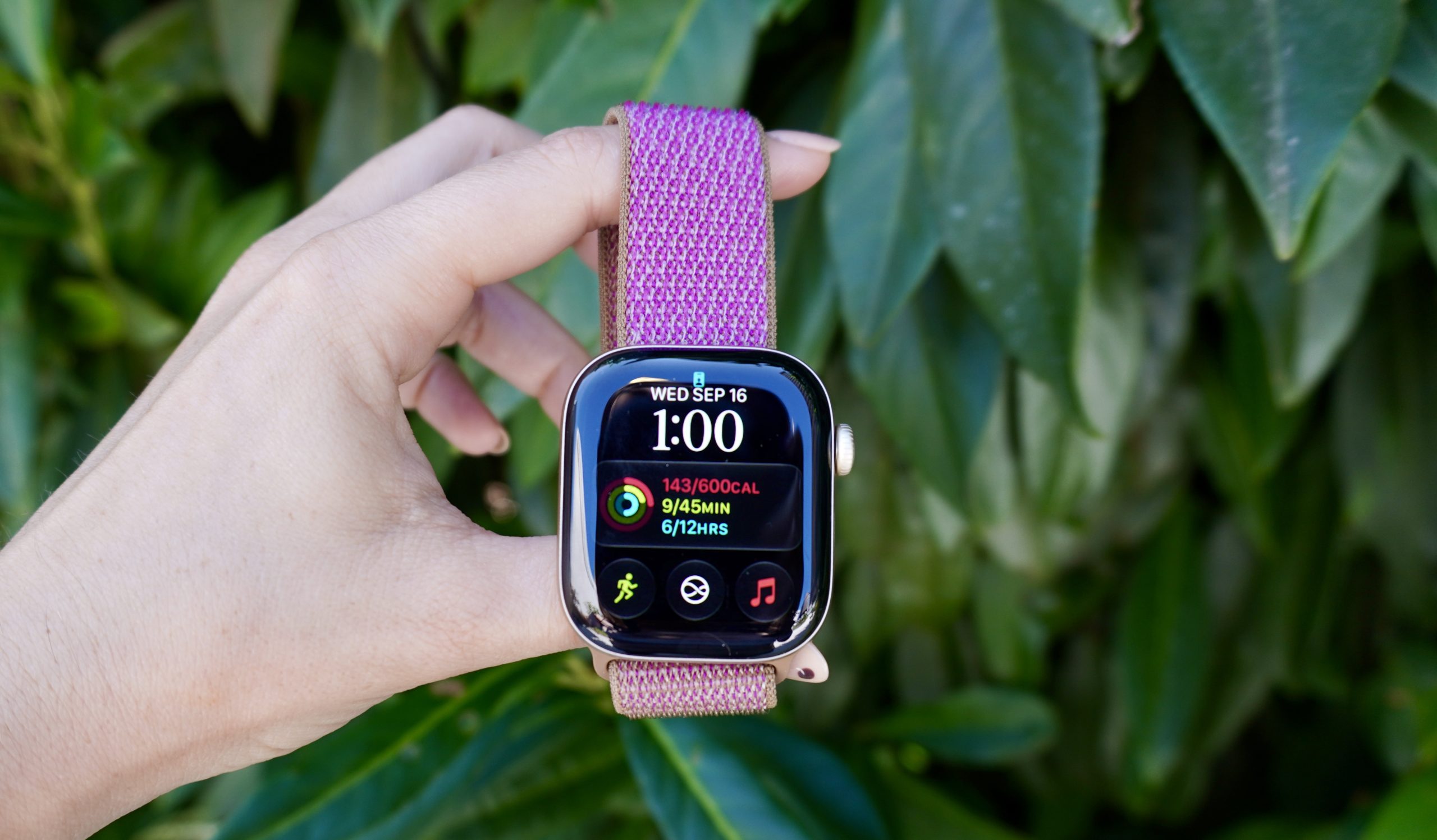
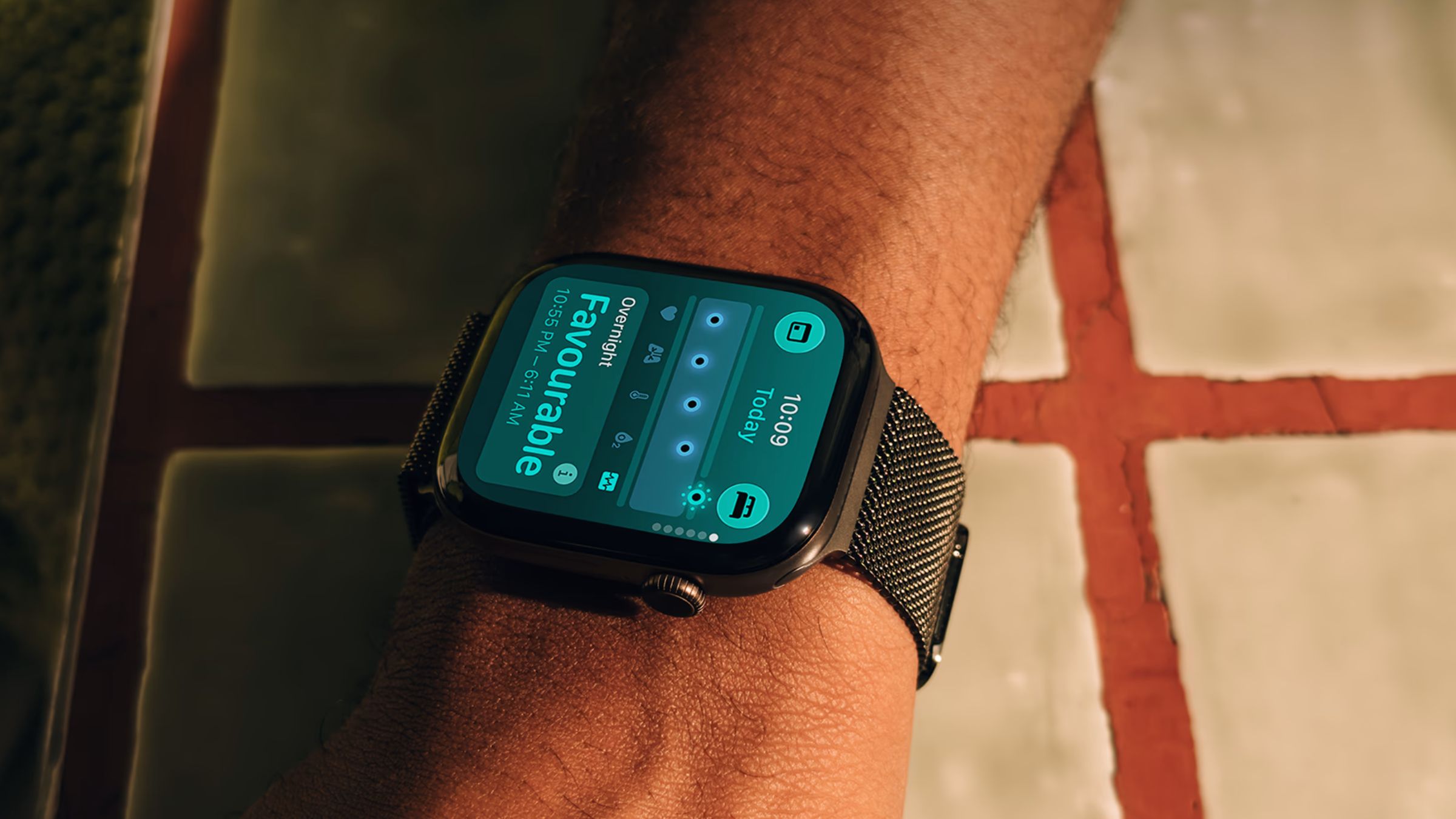
The apple watch series 12 issues have emerged as a dual-front challenge for new owners, involving both sudden, unexplained device reboots and reports of skin irritation caused by the new sensor array. While Apple has moved quickly to deploy a software patch to address system instability, a second wave of consumer complaints regarding physical discomfort has surfaced, complicating the launch period for the Series 12 and Ultra 4 models.
Key Takeaways
- System Instability: Many Apple Watch Series 12 and Ultra 4 users experienced sudden reboots, often during active use or while navigating settings.
- Technical Root Cause: User-led diagnostics suggest a “Neural Engine timeout” within the Apple Neural Engine (ANE) hardware was triggering kernel panics.
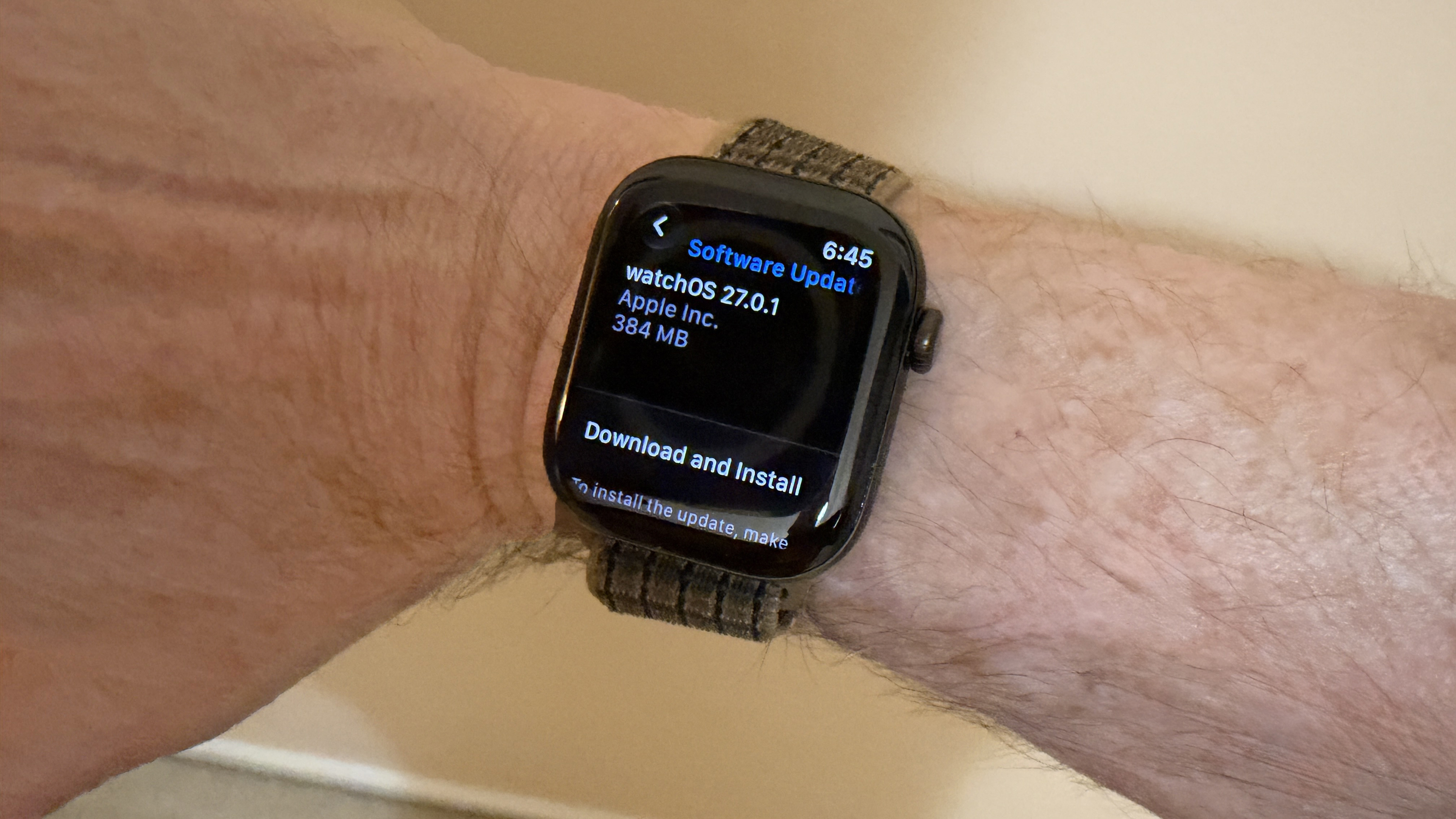
- Software Fix: Apple released watchOS 27.0.1 as an emergency update to mitigate the rebooting issue.
- Physical Irritation: Recent reports from October 2026 indicate users are experiencing redness and a burning sensation under the watch’s sensor area.
- Design Changes: The new models feature a redesigned health sensing system with larger LEDs and a different electrode arrangement, which may be linked to the reported skin reactions.
- Immediate Action: Owners experiencing reboots should update to watchOS 27.0.1 immediately; those with skin irritation should consult a physician.
- AI Interactions: Utilizing Siri or other on-device AI features.
- Navigation: Opening Apple Maps or browsing the App Store.
- Interface Changes: Editing or customizing watch faces.
- Active Monitoring: During phone calls or intensive workouts.
- Inactivity: The device crashing while sitting idle on a nightstand.
- Update Immediately: If you have experienced random restarts, ensure you are running watchOS 27.0.1. This update was specifically released to address the Neural Engine instability. To update, go to Settings > General > Software Update on your watch, or use the Watch app on your paired iPhone.
- Update Requirements: Ensure your device has at least 50% battery and is connected to a charger during the update process to prevent firmware corruption.
- Monitor Skin Contact: If you experience redness or itching, stop wearing the watch immediately. Clean the back of the watch and your wrist thoroughly with fresh water to remove any residual soap, sweat, or lotions. If symptoms persist, consult a physician before resuming use.
- Wait for Stability: For those currently using a Series 11 or older, there is no urgent need to upgrade. The Series 11 remains a highly capable device. Given the launch-window bugs, waiting a few months to see if the watchOS 27.0.1 patch and subsequent updates fully resolve the rebooting and sensor concerns may be a prudent financial decision.
- Consider the Ultra 4 for Battery: If your primary concern is battery life for long-duration activities, the Ultra 4’s ability to reach up to 84 hours in Low Power Mode remains a significant advantage over the standard Series 12.
- Patch Effectiveness: Whether user reports of “panic-full” logs decrease significantly following the widespread adoption of watchOS 27.0.1.
- Hardware Recalls: Whether Apple issues a formal hardware recall if the Neural Engine issue is found to be a physical defect in the S11 chip.
- Sensor Refinement: Whether Apple introduces further software adjustments to the sensor’s light intensity or frequency to mitigate skin irritation.
- www.cultofmac.com
- www.zdnet.com
- www.theapplepost.com
- gadgetsandwearables.com
- www.macrumors.com
The Dual Crisis: Reboots and Skin Irritation
Following the launch of the Apple Watch Series 12 and Ultra 4 on September 18, 2026, the flagship wearables have been plagued by two distinct sets of problems. The first, a widespread technical glitch involving spontaneous system restarts, dominated headlines throughout late September. The second, a more recent concern regarding skin sensitivity, has begun to surface in early October.
According to reports from MacRumors, Cult of Mac, and ZDNET, the technical instability was characterized by the device suddenly displaying the Apple logo and restarting without warning. This occurred across various scenarios, including during workouts, while using Siri, and even while the devices were sitting idle. By September 22, 2026, the issue had become a significant topic of discussion on the Apple Support Community and Reddit, as users shared diagnostic logs to find a common thread.
As the rebooting issue was being addressed via software, a new set of complaints emerged. On October 7, 2026, users began reporting unexpected skin irritation, specifically describing a burning sensation and redness located directly under the sensor area of the watch. This second issue is particularly notable because it coincides with the introduction of a redesigned health sensing system in the Series 12 and Ultra 4 models.
Why It Matters: Reliability in Wearable Tech
The significance of these issues cannot be overstated for a device marketed as a critical health and fitness companion. For users like Gary McCoy, who reported the device crashing minutes into a morning run, the unreliability of the hardware undermines the primary utility of a wearable. When a device meant to track vital signs and activity fails during the very moment those metrics are most needed, the consumer’s trust in the product is compromised.
Furthermore, the technical nature of the rebooting issue suggests a deep-seated interaction between the new S11 chip and the device’s specialized hardware. Unlike a simple app crash, a system-wide reboot indicates a failure at the kernel or hardware level. For prospective buyers, this has led to visible hesitation. Cindy, a consumer commenting on the issue, noted that she was holding off on purchasing a Series 12 until the stability concerns were resolved.
Technical Deep-Dive: The Neural Engine Timeout
Technical investigations conducted by members of the Apple Support Community have provided a potential explanation for the rebooting crisis. By analyzing “panic-full” diagnostic logs, users identified a consistent failure signature related to the Apple Neural Engine (ANE).
The ANE is a dedicated hardware component designed to handle high-level tasks such as artificial intelligence, security processing, and complex sensor data analysis. The diagnostic data revealed that the ANE would occasionally hang for a duration exceeding the system’s hard limit. Specifically, one log entry showed a command attempting to wait 2,020 milliseconds, which triggered a firmware watchdog to force a system restart because it exceeded the 2,000-millisecond threshold.
This watchdog mechanism is a safety feature designed to prevent deeper system corruption when a component becomes unresponsive. However, in the case of the Series 12 and Ultra 4, the frequency of these timeouts turned a safety feature into a significant usability flaw. The crashes were reportedly non-linear, meaning they did not follow a predictable pattern, making them difficult for the average user to avoid.
Common Reboot Triggers Identified by Users:
The Health Component: Analyzing Skin Irritation
While the software team worked to stabilize the system, the hardware design of the new sensor array has come under scrutiny. The Apple Watch Series 12 and Ultra 4 feature a significantly redesigned health sensing system. This includes a larger ECG electrode surface, a ring-shaped arrangement of photodiodes, and larger green LEDs to facilitate more frequent heart rate readings—now occurring every five seconds.
Users reporting irritation have described redness and a burning sensation specifically localized to the area where these sensors contact the skin. While wrist irritation is a complaint that has existed since the original Apple Watch, the timing of these reports alongside the hardware redesign has led to speculation about the new sensor configuration.
Apple has addressed these concerns by noting that skin reactions can often be caused by external factors. According to the company, wearing a band too tight or too loose, or the presence of irritants like soap, sweat, sunscreen, or lotion under the watch, can trigger discomfort. Additionally, while some Apple Watch models contain trace amounts of nickel, Apple states these levels are below EU limits and unlikely to cause issues. The company also noted that certain bands and the watch case contain trace amounts of acrylates and methacrylates from adhesives, though they are designed to keep these components away from direct skin contact.
Comparing the New Generation: Series 12 vs. Ultra 4
To understand the scope of these issues, it is helpful to look at how the new models differ from previous generations and from each other. The Series 12 represents an incremental but significant update to the standard line, while the Ultra 4 remains the high-end, rugged alternative.
| Feature | Apple Watch Series 12 | Apple Watch Ultra 4 | Apple Watch Series 11 (Previous) | |
|---|---|---|---|---|
| Processor | S11 Chip | S11 Chip | S10 Chip | S10 Chip |
| Health Sensors | Redesigned Optical/Electrical | Redesigned Optical/Electrical | Standard Optical/Electrical | |
| New Metrics | “Readiness” Metric | “Readiness” Metric | N/A | |
| Materials | Aluminum, Titanium, Ceramic | Titanium | Aluminum | Aluminum |
| Battery Life | Standard Daily Use | Up to 50 hours (84 in Low Power) | Standard Daily Use | Standard Daily Use |
| Primary Focus | Everyday Health/Lifestyle | Rugged/Extreme Performance | General Utility |
What It Means for You
Depending on your current relationship with the Apple Watch ecosystem, the implications of these reports vary.
If You Are a Current Owner of a Series 12 or Ultra 4:
If You Are a Prospective Buyer:
Counterpoints and Open Questions
While the software patch provides a path forward for the rebooting issue, several questions remain unanswered. The most significant is whether the Neural Engine timeouts are purely a software bug or if they stem from a hardware manufacturing defect. Some users have reported that even after receiving a replacement unit, the reboots continued, which could suggest a broader issue with the S11 chip’s architecture or a specific batch of components.
Regarding the skin irritation, the debate lies between design and hygiene. While Apple points toward user habits (sweat, soap, tightness), the coincidence with the new, larger sensor array and increased LED intensity cannot be ignored. It remains unconfirmed whether the increased frequency of heart rate readings (every five seconds) or the higher intensity of the green LEDs contributes to localized thermal discomfort or skin sensitivity.
What Happens Next
Moving forward, the tech industry will be watching Apple’s ability to maintain its reputation for seamless integration. Key indicators to watch include:
Frequently Asked Questions
How can I check if my Apple Watch is experiencing a “panic-full” error?
To confirm if your device is experiencing the specific error linked to the rebooting issue, you can check your diagnostic logs. Open the Watch app on your paired iPhone, navigate to General, swipe down to find Diagnostics Logs, and look for any entries labeled “panic-full”. If you find these, it indicates a system-level crash, likely related to the Neural Engine timeout.
Is the watchOS 27.0.1 update mandatory?
While not strictly mandatory for the watch to function, it is highly recommended for all Series 12 and Ultra 4 owners. The update was specifically engineered to resolve the unexpected restart issue. Installing it is the most effective way to prevent mid-activity crashes and system instability.
What should I do if the Apple Watch causes skin redness?n
If you notice redness, swelling, or a burning sensation, stop wearing the device immediately. Clean the watch and your wrist with clean, dry cloths. Ensure no soap, sunscreen, or sweat is trapped under the sensor. If the irritation does not clear up quickly, consult a medical professional before attempting to wear the device again.
Why is my Apple Watch restarting during workouts?
If your watch is restarting during high-intensity activity, it may be due to the Neural Engine timeout issue. The increased processing load during a workout can trigger the ANE to hang, causing the watchdog to restart the system. Updating to watchOS 27.0.1 is the primary solution for this problem.
—
The launch of the Apple Watch Series 12 and Ultra 4 has been marked by a complex set of challenges, from critical software-driven reboots to emerging concerns over skin sensitivity
References
Featured image: Image via ZDNET