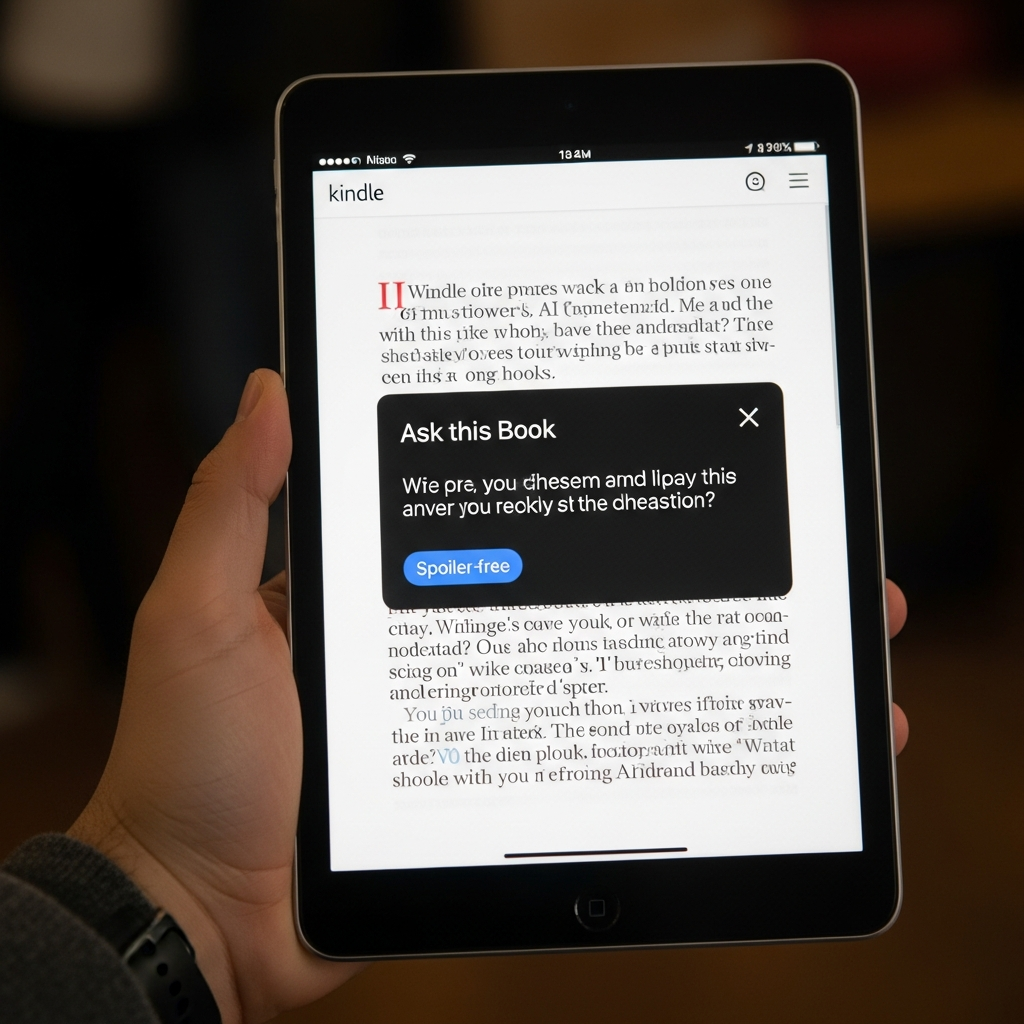
Embarking on a literary journey just got a revolutionary upgrade. Amazon’s Kindle iOS app has introduced a groundbreaking Kindle AI feature known as “Ask this Book,” designed to fundamentally transform how readers interact with digital texts. This innovative tool promises immediate, spoiler-free answers to virtually any question you have about the book you’re reading, all without ever leaving the page. For countless readers who’ve experienced the frustration of forgotten character details or confusing plot twists, this new AI-powered reading assistant marks a significant leap forward in digital literary engagement. It’s more than just a search function; it’s like having an expert literary companion by your side, ready to provide instant context and enhance your comprehension.
The Dawn of a New Reading Era: Introducing Kindle’s “Ask this Book” AI
Amazon’s new “Ask this Book” feature on the Kindle iOS app is an ingenious application of artificial intelligence aimed at deepening reader immersion and understanding. Launched initially in the U.S. for thousands of best-selling English-language Kindle books, this tool empowers readers to query the text directly. Whether you’re wrestling with a complex plot point, trying to recall a character’s backstory, or pondering a book’s overarching themes, “Ask this Book” delivers precise, contextual answers on demand. The core appeal lies in its ability to eliminate the anxiety associated with external online searches, which often risk accidental spoilers that can diminish the reading experience. This Kindle AI feature is set to redefine how we consume and connect with stories.
How to Access Your Expert Reading Assistant
Engaging with “Ask this Book” is designed to be intuitive and seamless. To begin, users simply need to ensure their Kindle app on their iOS device is updated to the latest version. Once updated, the feature can be accessed in a couple of straightforward ways:
In-Book Menu: A dedicated option within the main in-book menu allows readers to activate the “Ask this Book” interface.
Highlighting Passages: For more direct queries, readers can highlight any confusing or intriguing passage of text. From the subsequent pop-up menu, they can either select from a range of automatically suggested questions relevant to the highlighted content or type in their own custom query.
Upon posing a question, the Kindle app AI swiftly generates an answer, often with the option for follow-up questions, fostering an ongoing, conversational interaction with the digital assistant. This makes it a dynamic and interactive element, far surpassing static glossaries or character lists.
The Genius of Spoiler Protection: Reading with Utmost Confidence
Perhaps the most celebrated aspect of “Ask this Book” is its robust “spoiler guard.” Amazon explicitly states that the AI’s knowledge is limited only to what the user has read up to that exact page. This crucial design choice prevents the accidental revelation of future plot twists, character developments, or story resolutions that would otherwise ruin the immersion. Imagine reading a mystery novel and asking about a suspicious character; the AI will only provide details based on what you’ve encountered so far, ensuring the suspense remains intact. This commitment to a spoiler-free experience positions “Ask this Book” not as a general search engine, but as a true “reading buddy” offering instant, safe context. It’s a game-changer for maintaining narrative flow and personal discovery.
Beyond Answers: Enhancing Comprehension and Flow
The practical benefits of this advanced Kindle AI feature extend far beyond simple Q&A. For readers who juggle multiple books, take long breaks between chapters, or return to a series after an extended hiatus, “Ask this Book” becomes an invaluable tool. It helps to:
Recall forgotten details: Quickly refresh your memory on minor characters, subtle foreshadowing, or specific locations.
Clarify complex plots: Untangle intricate story arcs or political maneuverings without interrupting your reading.
Explore themes deeper: Gain immediate insights into the deeper meanings or symbolism presented in the text.
Boost engagement: By removing friction points, readers are more likely to finish the books they start and engage more deeply with the material.
The seamless integration of this feature, allowing queries without navigating away from the page, ensures that the reading journey remains continuous and enriching.
Your Personal Story Refresher: Recaps and Story So Far
Complementing “Ask this Book,” Amazon has also introduced and enhanced features like “Recaps” and “Story So Far,” further cementing Kindle’s role as an active reading companion. These tools are specifically designed to help readers re-engage with their books effortlessly.
Kindle Recaps: “Previously On…” for Your Books
“Recaps” functions as the literary equivalent of a TV show’s “Previously on…” segment. It provides a concise refresher on story arcs, key characters, and significant developments, particularly useful for series readers. If you’re picking up a sequel months after finishing the previous installment, “Recaps” offers a quick, spoiler-free summary to get you back up to speed. This feature is currently available on Kindle devices and the Kindle app for iOS in the U.S. for supported series, significantly reducing the effort required to dive back into a complex narrative.
Story So Far: Instant Summaries for Kindle Scribe
An additional AI-powered feature, “Story So Far,” is notably integrated into the Kindle Scribe models. Described as a “genius” application of AI, “Story So Far” offers a quick, half-page to full-page synopsis of the reader’s last session immediately upon reopening a book. This eliminates the need for manual page-flipping to recall recent events, character interactions, or setting changes. Like “Ask this Book,” “Story So Far” is completely spoiler-free, focusing solely on efficient re-engagement. While “Ask this Book” is about specific queries, “Story So Far” provides a broader context to smoothly transition back into the narrative, making the Kindle Scribe an even more compelling e-reader for avid readers.
Rollout & Future Horizons: Where to Find Kindle’s AI
Currently, the “Ask this Book” Kindle AI feature is exclusively available on the Kindle iOS app for iPhone and iPad users in the United States. However, Amazon has ambitious plans for its broader rollout. The company intends to expand this functionality to Android-based applications and dedicated Kindle e-reader devices throughout the coming year, with a full integration target slated for 2026. This phased rollout underscores Amazon’s commitment to making these powerful AI tools accessible across its entire ecosystem, transforming the Kindle from a passive display screen into an intelligent, interactive literary partner.
Navigating the Unseen Pages: Copyright and Ethical Debates
While the convenience and utility of “Ask this Book” are clear, its introduction has not been without controversy. Significant concerns have been raised, particularly regarding copyright and intellectual property rights. Authors and publishers have expressed apprehension over the utilization of their copyrighted works for these AI-driven interactions, especially given the lack of an opt-out mechanism. An Amazon spokesperson confirmed that the feature is “always on” and there is “no option for authors or publishers to opt titles out,” citing a desire to ensure a “consistent reading experience.”
This policy has fueled debates about creator agency and control over their intellectual property in the age of generative AI. Furthermore, technical and ethical questions persist regarding the feature’s operation. Concerns include:
AI Hallucinations: How will Amazon prevent the AI from generating inaccurate, misleading, or fabricated information, which could compromise the integrity of the text?
LLM Training: Are the texts of these copyrighted books being used for the training of large language models without explicit consent or compensation to authors?
These are vital considerations that underscore the evolving landscape of digital content and AI integration. Amazon’s approach highlights a tension between enhancing user experience and respecting creator rights, a discussion that will undoubtedly continue as AI becomes more pervasive in digital platforms.
Transforming the Reading Journey: Why This Matters
Ultimately, the suite of new Kindle AI features, including “Ask this Book,” “Recaps,” and “Story So Far,” represents a bold stride in the evolution of digital reading. By transforming the Kindle from a mere display into an active companion, Amazon aims to resolve common pain points for readers – from forgetting a minor character’s name to losing the thread of a complex plot. This proactive support system not only deepens engagement but also holds the potential to significantly increase book completion rates. For casual and avid readers alike, these AI innovations promise a more informed, fluid, and genuinely enjoyable literary adventure, ensuring that every page turned is a step further into the story, not away from it.
Frequently Asked Questions
What is “Ask this Book” and how does Kindle’s AI reading assistant work?
“Ask this Book” is a new AI-powered feature in the Kindle iOS app that allows readers to ask questions directly about the content of a book they are reading. It provides immediate, spoiler-free answers by analyzing the text up to the reader’s current page. Users can access it through the in-book menu or by highlighting a passage, then choosing from suggested questions or typing their own custom queries. This Kindle AI feature acts as an “expert reading assistant” to enhance comprehension and prevent interruptions.
Which Kindle devices and apps currently support “Ask this Book” and other AI features?
As of its initial rollout, “Ask this Book” is available exclusively on the Kindle iOS app (for iPhone and iPad) in the U.S. “Recaps” is available on both Kindle devices and the iOS app. The “Story So Far” feature, a complementary AI-powered summary tool, is specifically for Kindle Scribe models. Amazon plans to expand “Ask this Book” to Android phones and dedicated Kindle e-readers throughout next year, with full integration targeted for 2026 across its ecosystem.
What are the key benefits and potential concerns of using Kindle’s AI reading features?
The key benefits include immediate, spoiler-free answers to questions, enhanced comprehension, easier re-engagement with books (via “Recaps” and “Story So Far”), and a more seamless, less interrupted reading flow. It helps readers finish books and delve deeper into narratives. However, significant concerns exist regarding copyright and intellectual property, as authors and publishers cannot opt out of the “always on” feature. There are also ethical questions about potential AI hallucinations and whether book content is used for training large language models without explicit consent or compensation to creators.