Microsoft is set to revolutionize its OneDrive cloud storage service with a comprehensive overhaul, introducing a brand-new Windows application and a suite of advanced AI-powered photo management tools. This significant update promises to transform how users organize, interact with, and share their digital memories and documents. Slated to roll out starting next year for the Windows app, with mobile and web features arriving in the coming months, these enhancements are designed to provide unparalleled value and streamline the digital experience for everyone. Get ready for an intuitive, intelligent, and deeply integrated OneDrive that leverages cutting-edge AI to manage your files effortlessly.
The Reimagined OneDrive Windows App: A Full-Fledged Experience
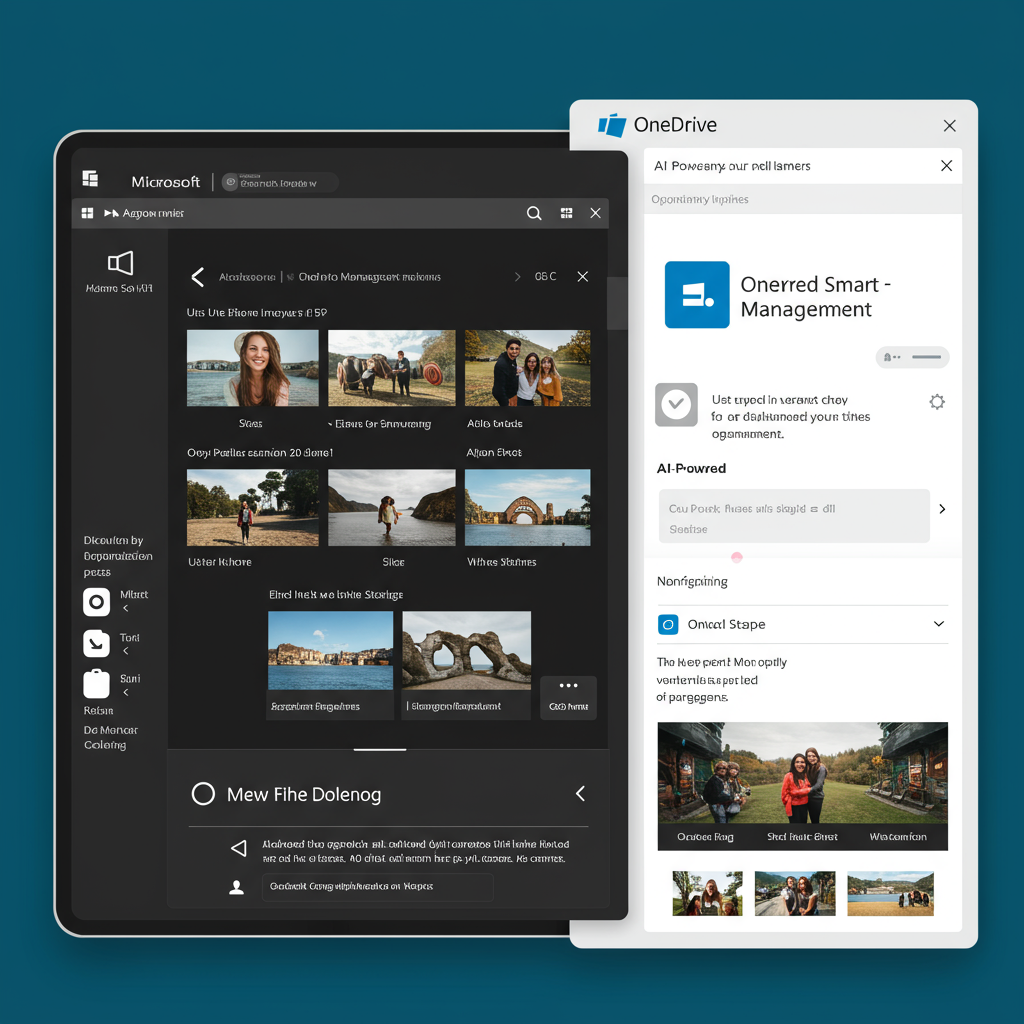
Forget the old taskbar flyout; the upcoming OneDrive Windows app is a complete redesign. This full-fledged application mirrors the intuitive interface of its mobile counterpart, offering a significantly more robust and user-friendly experience for Windows 10 and 11 users. It’s built to bring the advanced features previously found only on the web directly to your desktop.
Key features of this highly anticipated new OneDrive app include:
New Gallery View: Browse all your cloud-stored photos with ease, displayed chronologically. You can scroll through years of images, zoom, and adjust the layout.
Dedicated People View: This intelligent feature uses face detection to identify individuals in your photos. You can then name these individuals, making it simple to find all pictures of a specific person.
Local Photo Integration: Soon, the app will work seamlessly with local photos stored on your device. You can edit images directly within the application and choose to keep them locally or upload them to OneDrive’s cloud storage.
AI-Powered Slideshows: Relive your memories with automatically generated, engaging slideshows.
Moments Tab: This feature, already rolling out, highlights significant photos from your past and “on this day” memories, reminiscent of popular competing photo services.
Albums & Favorites: Easily create new albums or manage existing ones. A dedicated favorites section gathers all photos you’ve explicitly tagged.
Integrated Photo Editor: Basic yet useful tools for cropping, adjusting brightness, applying filters, or adding markups are directly available.
This dedicated OneDrive app for Windows is a game-changer for anyone struggling with a vast personal photo library. It offers a friendlier, more flexible overview, making photo organization more discoverable and manageable.
AI Takes Center Stage: The Photos Agent and Copilot Integration
Microsoft is embedding Copilot AI deeply into the OneDrive experience, particularly for photo management. A groundbreaking new feature is the Photos Agent, which acts as an intelligent chatbot specifically for your photo collection.
Available for Microsoft 365 Copilot and Microsoft 365 Premium subscribers, the Photos Agent enables natural language queries. Imagine asking, “Show me all holiday photos from 2023,” or “Find pictures of my dog at the park.” Copilot will then intelligently sift through your photos, find relevant images, and even help you build albums from the results. This represents a significant leap in how users interact with their visual data, moving beyond simple keyword searches to conversational commands.
Smarter Photo Management Across Devices
The AI enhancements extend to OneDrive’s mobile apps on iOS and Android as well. Users will soon benefit from AI mobile editing capabilities, including the ability to transform photos into various animated styles.
Additional mobile features include:
Easy Cleanup: Tools to quickly identify and clean up blurry or duplicated shots directly from your mobile device.
Photo Stacks: This intelligent tool automatically groups blurry or duplicate images. Microsoft 365 subscribers receive even more refined, AI-driven suggestions for cleaning up these photo stacks.
Furthermore, Copilot Vision on Windows is set to enhance Copilot’s desktop companion role. With user permission, Copilot Vision can “see” your screen content, offering real-time guidance. While not exclusively for photos, this capability could significantly assist with complex photo editing tasks, providing contextual tips like “improve lighting” or “remove this background element” as you work.
Streamlined Collaboration: The “Hero Link” Revolution
Beyond photos, OneDrive is also upgrading its document sharing capabilities with a new “hero link” feature. This simplifies the process of sharing files, making it as easy as copying a standard URL. This modern approach, explicitly designed to mimic the long-standing functionality of Google Docs, significantly improves user experience.
With hero links, recipients can now easily request access to a document if they don’t have the necessary permissions, eliminating frustrating “access denied” messages. For Microsoft 365 Copilot users, recipients of a hero link can even leverage Copilot to request a quick summary of the shared content, enhancing content comprehension before diving into the full document. This feature will make OneDrive a more intuitive and efficient platform for collaborative work.
Microsoft 365 Premium: Unlocking OneDrive’s Full Potential
Many of OneDrive’s most advanced AI features are central to Microsoft’s new subscription tier: Microsoft 365 Premium. Priced at $19.99 per month, this plan is designed as the ultimate AI and productivity powerhouse for individuals.
Premium subscribers gain access to:
Advanced Reasoning Agents: Including Researcher and Analyst, which can gather, analyze, and summarize web or file-based insights within minutes, transforming raw data into actionable to-dos.
Highest Copilot Usage Limits: Across features like 4o image generation, Voice, Podcasts, Deep Research, Vision, and Actions within Copilot and Microsoft 365 apps.
Exclusive Features: The Photos Agent, Researcher in Word, Analyst in Excel, and Office Agent are key Premium inclusions.
Enhanced Security: 1 TB of secure cloud storage and Microsoft Defender advanced security are also part of the package.
Existing Microsoft 365 Personal and Family subscribers will also see higher usage limits for select Copilot features, providing an upgraded experience without additional cost. This tiered approach positions OneDrive and Microsoft 365 as a comprehensive solution for both casual users and those demanding the peak of AI-driven productivity.
Beyond Photos: AI for All Files in OneDrive
The integration of AI extends far beyond just photo management, enhancing the entire OneDrive ecosystem:
Smarter Search and Answers: The search bar in the OneDrive web app will evolve into a sophisticated “ChatGPT-like” answers function. Users can ask questions about their stored files and receive intelligent, summarized responses.
Floating Copilot Icon: Users with a Microsoft 365 Copilot license will see a floating Copilot icon on the OneDrive web app. Clicking it will offer suggested actions like summarizing documents, comparing files, or generating audio overviews.
Custom Agents: Designate a specific OneDrive folder to create a “knowledge agent.” This agent can then answer questions, summarize content, and perform tasks related to the documents within that particular folder.
M365 Copilot Researcher Integration: The powerful Researcher reasoning agent, adept at complex, multi-step research, is also coming to OneDrive for the web, further boosting analytical capabilities for professional use.
These comprehensive updates solidify Microsoft’s commitment to making OneDrive a central, intelligent hub for all your digital content. By seamlessly blending cloud storage with advanced AI, Microsoft aims to deliver a productivity and organizational experience that is intuitive, powerful, and truly personalized.
Why This Matters for You
This extensive OneDrive overhaul signifies Microsoft’s strategic move to embed AI deeply into its core productivity services. For users, this translates into several key benefits:
Effortless Organization: AI-powered features dramatically simplify photo and file management.
Enhanced Discovery: Quickly find specific memories or documents with natural language queries.
Improved Collaboration: Streamlined sharing and AI-assisted content comprehension boost team productivity.
Personalized Experience: Your OneDrive adapts to your needs, anticipating actions and offering relevant insights.
Competitive Edge: Microsoft is directly challenging competitors like Google Photos and Google Drive by offering a deeply integrated, AI-first solution across Windows, web, and mobile platforms.
These updates represent more than just new features; they herald a fundamental shift in how we interact with our digital lives.
Frequently Asked Questions
What are the main new features coming to OneDrive’s Windows app?
The overhauled OneDrive Windows app is a significant redesign, moving from a small taskbar flyout to a full-fledged application. Key new features include a comprehensive gallery view for all cloud photos, a dedicated people view using face detection, and the ability to work with and edit local photos directly within the app. Users will also find AI-powered slideshows, a moments tab surfacing older memories, and an integrated photo editor for basic adjustments and markups. This aims to provide a unified, intuitive experience mirroring the mobile app.
How does AI enhance photo management in OneDrive, and who can access these features?
AI significantly enhances OneDrive photo management through the new Photos Agent and AI mobile editing. The Photos Agent, available for Microsoft 365 Copilot and Microsoft 365 Premium subscribers, acts as an AI chatbot, allowing users to find and organize photos using natural language prompts. Mobile users (iOS and Android) will get AI editing tools, including animated styles and automatic grouping of blurry or duplicate photos with cleanup suggestions for Microsoft 365 subscribers. Copilot Vision on Windows also offers screen-contextual assistance, potentially aiding photo editing.
Is Microsoft 365 Premium required to experience OneDrive’s best AI capabilities?
While existing Microsoft 365 Personal and Family subscribers will receive higher usage limits for some Copilot features, Microsoft 365 Premium unlocks OneDrive’s most advanced AI capabilities. Premium subscribers gain exclusive access to the Photos Agent, advanced reasoning agents like Researcher and Analyst, and the highest usage limits for various Copilot functions. Priced at $19.99/month, it’s designed for individuals seeking the peak of AI-driven productivity and comprehensive file management, including enhanced security and 1 TB of cloud storage.
Conclusion
The forthcoming evolution of OneDrive marks a pivotal moment for Microsoft’s cloud strategy. By infusing deep AI integration, particularly through Copilot and the new Photos Agent, alongside a radically redesigned Windows app and streamlined sharing, OneDrive is poised to become an indispensable tool for both personal and professional users. These updates promise not only to simplify digital life but to enrich it, offering intelligent assistance for managing everything from cherished memories to critical documents. As these features roll out, OneDrive users can anticipate a more intuitive, powerful, and genuinely smart cloud experience.