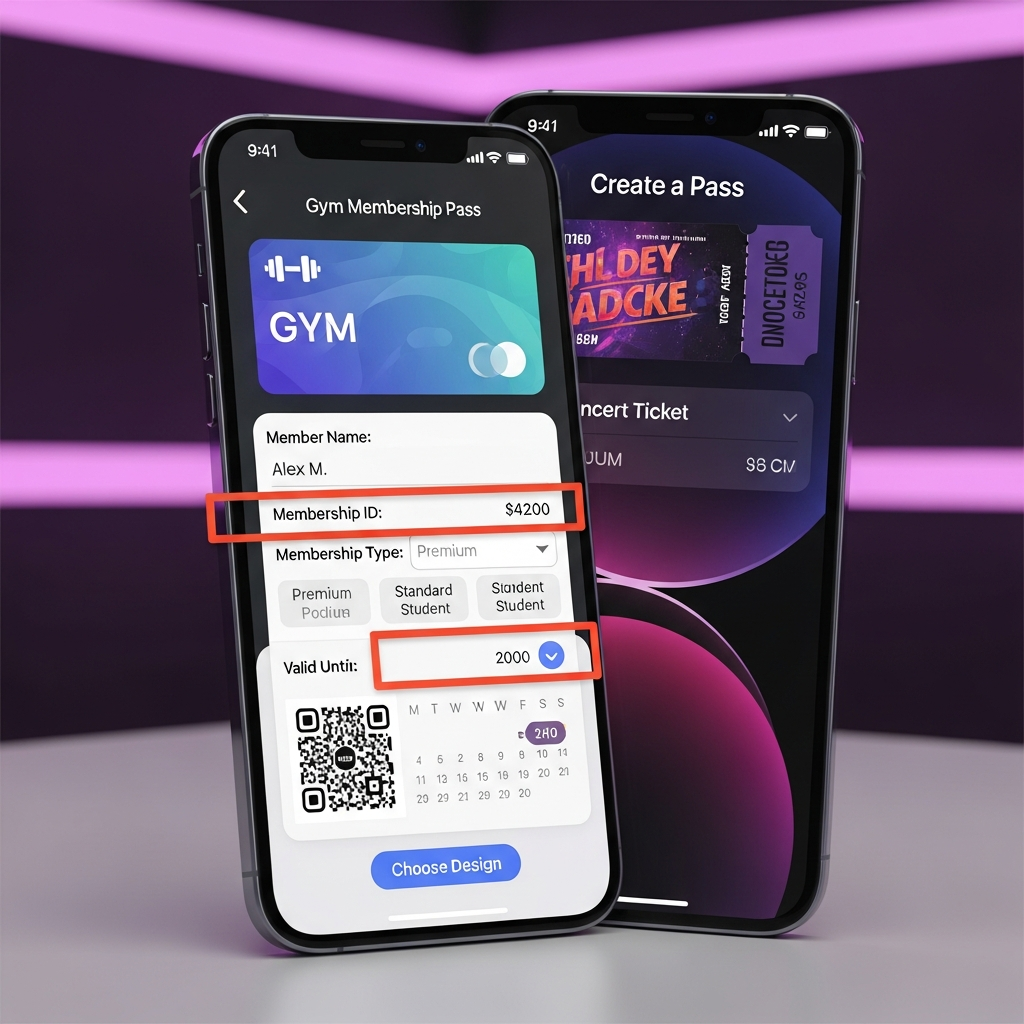
Get ready to transform your digital wallet experience! Apple is set to revolutionize how you manage your cards and tickets with a powerful new “Create a Pass” feature coming to the iOS 27 Wallet app. This highly anticipated update will finally empower iPhone users to build personalized digital versions of virtually any physical pass, from gym memberships to concert tickets, directly within their device. It’s a game-changer designed to fill a long-standing gap, making your Apple Wallet an even more indispensable hub for all your essential credentials.
The Game-Changing “Create a Pass” Feature
Apple’s upcoming iOS 27 update, expected to be officially unveiled at the Worldwide Developers Conference (WWDC) in June, introduces the groundbreaking “Create a Pass” functionality. This new tool allows users to generate custom digital passes within the Wallet app, expanding its utility far beyond what was previously possible. No longer will you be dependent on businesses or services to provide native Apple Wallet integration for your tickets and memberships.
The core idea behind “Create a Pass” is to make the Wallet app compatible with a broader array of physical and digital items that historically lacked seamless digital integration. Whether it’s a local gym membership card, an emailed concert ticket, or a loyalty card from a small business, iOS 27 aims to consolidate these into one convenient, customizable digital format.
How You’ll Create Your Custom Wallet Passes
Accessing this innovative feature will be remarkably intuitive. Within the Wallet app, users can simply tap the familiar “+” button, the same entry point currently used for adding credit cards or existing third-party passes. This action will present an option to “create passes for tickets, memberships, gift cards and more,” inviting you into a streamlined creation process.
There are two primary methods for building your custom passes:
- Scanning a QR Code: For items that feature a QR code – common for event tickets, airline boarding passes, or even store loyalty cards – the system will allow you to scan it directly using your iPhone camera. This instantly pulls relevant data to help populate your new digital pass.
- Manual Creation: If your physical pass lacks a QR code, or if you’re creating something entirely from scratch, iOS 27 will provide an alternative method for manual input. Users can type in essential details such as membership names, identification numbers, event titles, and specific coupon information.
Imagine scanning a QR code from a newly purchased movie ticket or inputting details from your local library card. With “Create a Pass,” these can transform into interactive, native Wallet passes, appearing alongside your credit cards and transit passes. Instead of relying on static screenshots or juggling multiple apps, everything is neatly organized and easily accessible from your lock screen.
Dive Deeper into Customization and Templates
Beyond mere creation, the “Create a Pass” feature places a strong emphasis on personalization and organization. Apple understands that user-generated passes need to be both functional and visually distinct. You’ll have extensive flexibility to tailor the appearance and content of each digital pass to your specific needs.
Customization options are set to include:
Images: Add personalized images or logos to make your passes instantly recognizable.
Colors: Modify background and text colors to match branding or personal preference.
Style: Adjust the overall aesthetic and layout of the pass.
Text Content: Edit and arrange the displayed information fields to prioritize what’s most important to you.
To further streamline the process and enhance organization, Apple is implementing a smart color-coding system with predefined templates. Reports indicate at least three distinct options during testing:
Standard Pass (Orange): A versatile default template suitable for a wide range of general-purpose passes.
Membership Pass (Blue): Specifically designed for credentials like gym memberships, club cards, or loyalty programs.
Event Pass (Purple): Perfect for tickets to occasions such as sports games, movies, concerts, or other organized events.
This strategic use of color-coding will not only make your Wallet app more visually appealing but also significantly improve the ease with which you can identify and access different types of passes at a glance. It’s a thoughtful approach to enhancing both functionality and user experience.
Expanding Apple Wallet’s Ecosystem and Impact
The introduction of “Create a Pass” signifies Apple’s continuous evolution of the Wallet app beyond its initial role as a mobile payment solution. Over recent years, Wallet has steadily grown into a comprehensive digital hub for identity and access management. It now supports:
Transit Cards: Accepted in 250 regions and 800 cities globally.
Digital Keys: Integrated with 65,000 hotel rooms and across 29 car manufacturers with 300 models.
Digital IDs: Rolling out in select U.S. states, allowing users to store their driver’s license or state ID securely.
This expansion aligns with broader trends in mobile wallet adoption. A PYMNTS Intelligence report highlights a substantial surge in mobile wallet usage, with 31% of shoppers now using them weekly in stores—a significant jump from just 14% in 2024. Apple Pay has been a key driver, with 16% of consumers reporting in-store usage weekly, effectively doubling its 2024 share. Ease and speed are identified as the primary motivators, particularly among Generation Z consumers. “Create a Pass” directly caters to these motivations by simplifying the management of diverse credentials.
Potential Limitations and Future Considerations
While the “Create a Pass” feature promises immense utility, it’s important to consider potential limitations, primarily for security and functionality reasons. Apple is likely to implement robust safeguards to prevent misuse, such as the creation of fake passes that could imitate official tickets or access credentials.
For example, dynamically changing QR codes, often used for secure transactions like banking, transit, or authentication, might not be fully compatible with this static Wallet conversion mechanism. Apple will need to ensure that user-generated passes cannot compromise the integrity of official systems or enable fraudulent activities. The focus will likely remain on static QR codes and information that users would typically manage themselves. These safeguards are crucial for maintaining trust and the overall security of the Wallet ecosystem.
iOS 27: A Glimpse Beyond Wallet Improvements
The “Create a Pass” feature is just one of many significant enhancements slated for iOS 27. Apple is reportedly placing a strong emphasis on new artificial intelligence capabilities and performance upgrades across its entire software ecosystem. Expected updates include a revamped Siri voice assistant, envisioned as a more sophisticated AI agent capable of conversational interaction via both text and voice.
Additionally, iOS 27 is anticipated to introduce more options for integrating external voice-controlled chat services and expand in-house AI features across core applications like photo editing, the camera app, and visual intelligence. These broader improvements underscore Apple’s commitment to advancing the user experience across all facets of its mobile operating system, with “Create a Pass” being a testament to enhancing everyday convenience.
Frequently Asked Questions
What is the new ‘Create a Pass’ feature in iOS 27 Wallet?
The “Create a Pass” feature in Apple’s upcoming iOS 27 update will allow users to generate custom digital passes directly within their Wallet app. This means you can convert physical items like movie tickets, gym membership cards, loyalty cards, or gift cards into scannable, personalized digital versions. It addresses situations where businesses use QR codes but don’t offer native Apple Wallet support, making your Wallet app a more comprehensive hub for all your credentials.
How can I add a QR code to Apple Wallet in iOS 27?
In iOS 27, adding a QR code to your Apple Wallet will be straightforward. You’ll access the “Create a Pass” feature by tapping the “+” button within the Wallet app, the same place where you add new credit cards. From there, you’ll have the option to use your iPhone’s camera to scan an existing QR code from a physical pass or ticket. The system will then help you build and customize a digital pass around that QR code.
What are the benefits of customizing passes in iOS 27 Wallet?
Customizing passes in iOS 27 Wallet offers several key benefits for users. Firstly, it enhances organization through features like a color-coding system (e.g., purple for events, blue for memberships, orange for standard passes), making it easier to quickly identify pass types. Secondly, extensive personalization options, including custom images, colors, styles, and text fields, allow you to tailor each pass to your preferences or the original branding. This improves user experience by making your digital Wallet more visually appealing and functional.
Conclusion
The “Create a Pass” feature in iOS 27 marks a pivotal moment for Apple Wallet, transforming it into an even more versatile and user-centric application. By empowering users to build and customize their own digital passes, Apple is addressing a significant gap and further solidifying Wallet’s role as the ultimate digital repository for all essential credentials. This move not only enhances convenience and organization but also reinforces Apple’s commitment to delivering innovative solutions that simplify our increasingly digital lives. Get ready for a smarter, more personalized Apple Wallet experience this fall with iOS 27.