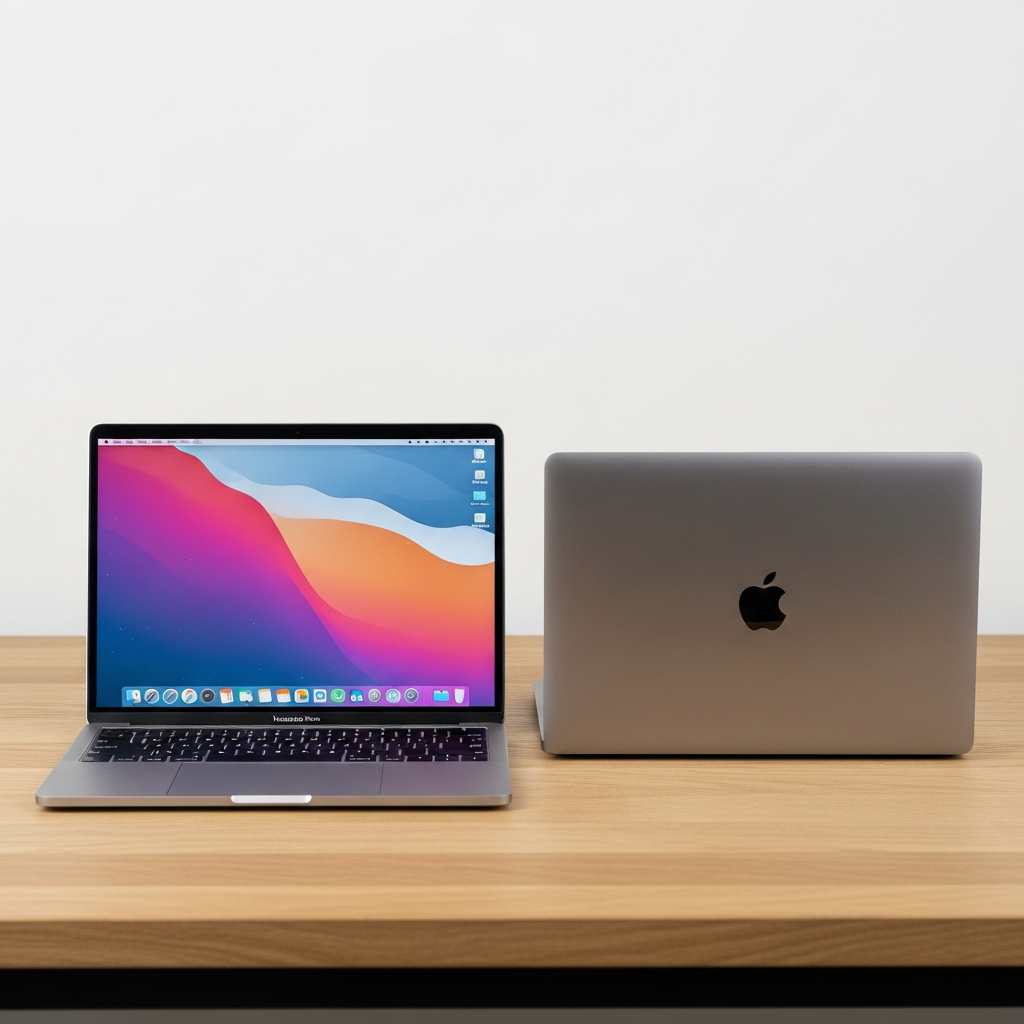
Choosing a new Apple laptop can feel overwhelming, especially with compelling new options hitting the market. The highly anticipated MacBook Neo arrives, dramatically lowering the entry point for Mac ownership. But how does this vibrant, budget-friendly newcomer stack up against the ever-popular MacBook Air, including its latest M5 iteration and the still-available M4 model? This comprehensive guide cuts through the noise, comparing Apple’s most affordable laptops to help you decide which device perfectly aligns with your needs and budget.
Decoding Apple’s Laptop Lineup: Neo vs. Air
Apple has long championed the MacBook Air as the quintessential student laptop and a reliable daily driver for countless users. Its blend of portability, performance, and premium design made it a top pick for college students and professionals alike. The introduction of the MacBook Neo, however, reshapes the landscape, positioning itself not just against Chromebooks and budget Windows laptops, but directly challenging the MacBook Air for those seeking value.
The Neo’s Entry: A New Era for Apple Affordability
Priced starting at an astonishing $599—or even $499 with an educational discount—the MacBook Neo represents a strategic shift for Apple. It’s designed to capture a new generation of users, offering maximum price-to-performance for everyday essentials, entertainment, and even casual gaming. This colorful machine, available in vibrant hues like Indigo, Blush, and Citrus, aims to dominate the budget segment and even compete with the refurbished market where older M1 MacBook Airs frequently sell.
MacBook Air: Still the Go-To for Many?
While the Neo grabs headlines with its aggressive pricing, the MacBook Air continues its legacy as a formidable all-rounder. The latest M5 MacBook Air pushes performance boundaries but also raises its starting price to $1,099. For budget-conscious buyers who still need more power than the Neo, last year’s M4 MacBook Air remains a compelling option, often found for under $900. These Air models, powered by Apple’s M-series chips, cater to users who demand robust performance, extensive features, and greater upgrade flexibility.
Head-to-Head: MacBook Neo, M4 Air, and M5 Air Specifications
Understanding the core specifications is crucial for any buying decision. Here’s a detailed comparison of the key features across Apple’s most accessible MacBook options:
| Feature | MacBook Neo | M4 MacBook Air | M5 MacBook Air |
| :—————- | :——————- | :——————- | :——————- |
| Price | $599 (starts) | $899 (current avg.) | $1,099 (starts) |
| CPU | A18 Pro (6-core) | M4 (10-core) | M5 (10-core) |
| GPU Cores | 5-core | 8-core | 8-core (up to 10) |
| RAM (Base) | 8GB (fixed) | 16GB | 16GB |
| Storage (Base)| 256GB | 256GB | 512GB |
| Screen Size | 13 inches | 13.6 inches | 13.6 inches |
| Resolution | 2,408×1,506 pixels | 2,560×1,664 pixels | 2,560×1,664 pixels |
| Weight | 2.7 lbs (1.23 kg) | 2.7 lbs (1.23 kg) | 2.7 lbs (1.23 kg) |
| Connections | 2x USB-C (USB 3/2), headphone | 2x Thunderbolt 4, headphone, MagSafe 3 | 2x Thunderbolt 4, headphone, MagSafe 3 |
| Battery | 36.5-watt-hour (16 hrs) | 52.6-watt-hour (18 hrs) | 53.8-watt-hour (18 hrs) |
| Colors | Indigo, Blush, Citrus, Silver | Sky Blue, Silver, Starlight, Midnight | Sky Blue, Silver, Starlight, Midnight |
Price Point: Where Every Dollar Counts
The most significant differentiator is undoubtedly the price. The MacBook Neo’s $599 starting price ($499 for education) is unprecedented for a new MacBook. This positions it a full $300 below a discounted M4 MacBook Air and a substantial $500 less than the new M5 MacBook Air. This wide price gap makes a compelling case for the Neo if budget is your absolute top priority. The M4 Air, still offering excellent value at its reduced price, bridges the gap for those needing more power without jumping to the M5’s premium.
Performance Powerhouse: A18 Pro vs. M-Series Chips
The MacBook Neo leverages the A18 Pro chip, the same powerful silicon found in the iPhone 16 Pro, albeit with one fewer GPU core. This mobile-first chip focuses on efficiency and boasts impressive single-core performance. Early benchmarks show the A18 Pro’s single-core scores often surpass even the M1 chip, resulting in a snappier feel for everyday tasks like web browsing, document editing, and app launches.
However, the M4 and M5 chips in the MacBook Air are a different class entirely. With their 10-core CPUs and more robust GPU configurations, they offer superior multi-core performance and significantly higher memory bandwidth (153GB/s for M5 vs. 60GB/s for A18 Pro). This makes the Air models far better suited for demanding workloads such as professional video editing, 3D rendering, or heavy multitasking. While both chips feature a 16-core Neural Engine for AI tasks, the M-series chips offer greater headroom for intensive AI workloads, including Apple Intelligence.
Memory & Storage: The Upgrade Dilemma
Here lies one of the Neo’s most significant compromises. The MacBook Neo comes with a fixed 8GB of unified memory, with no option to upgrade to 16GB. While 8GB can suffice for casual use, it becomes a bottleneck for power users and resource-intensive applications. For an extra $100, you can double the Neo’s storage to 512GB, which also adds Touch ID, but the RAM remains 8GB.
In contrast, the MacBook Air models start with 16GB of RAM as standard and offer upgrade options up to 24GB (on M3/M4) or even 32GB (on M5), along with larger SSDs up to 4TB. This flexibility is crucial for professionals and those who foresee growing computing needs. The cost of upgrading the Neo’s RAM, if it were possible, would quickly push its price into MacBook Air territory, making the Air a more logical choice for memory-hungry users.
Display & Design: Visuals and Portability
Both the MacBook Neo and Air boast Liquid Retina displays, delivering sharp visuals. The Neo offers a 13-inch screen (2,408×1,506 pixels) which, despite earlier rumors of a smaller panel, is only slightly less expansive than the Air’s 13.6-inch display (2,560×1,664 pixels). Both achieve 500 nits of brightness. However, the Air’s display supports wide color (P3) and includes Apple’s True Tone technology, which automatically adjusts color temperature based on ambient light for a more natural viewing experience. The Neo supports sRGB color and lacks True Tone.
Aesthetically, both laptops are sleek and portable, sharing an identical weight of 2.7 pounds (1.23 kg). The Neo is slightly thicker (0.5 inch vs. 0.44 inch) and has a marginally smaller footprint. The Neo distinguishes itself with its vibrant color palette, offering a more playful and personalized look compared to the Air’s more traditional finishes.
Connectivity & Features: Essential Everyday Differences
Connectivity is another area where the Neo makes concessions to achieve its price point. It features two USB-C ports, but only one supports faster USB 3 speeds with DisplayPort, while the other is a slower USB 2. Crucially, one of these ports is needed for charging, leaving only a single port free when powered. The Neo also lacks the convenient MagSafe 3 charging port, a feature many users appreciate for its easy magnetic attachment and safety against accidental tugs.
The MacBook Air, by contrast, provides two speedy Thunderbolt 4 USB-C ports, offering much faster data transfer, external display support, and compatibility with a wider range of accessories. It also includes MagSafe 3 charging, leaving both Thunderbolt ports available for use. The Air further benefits from Wi-Fi 7 (compared to the Neo’s Wi-Fi 6E) and a more advanced four-speaker sound system with Spatial Audio, enhancing media consumption.
Performance Deep Dive: Benchmarks & Real-World Use
While specifications paint one picture, real-world performance benchmarks offer a clearer view of what each chip can achieve.
Single-Core vs. Multi-Core: Who Wins Where?
The MacBook Neo’s A18 Pro chip excels in single-core performance, crucial for the responsiveness of everyday applications like web browsers, email clients, and productivity suites. This means apps launch faster and general navigation feels incredibly fluid. Its single-core scores often outpace even the M1 MacBook Air, providing a genuinely snappy user experience for its target audience.
However, when it comes to multi-core tasks—processes that can utilize multiple CPU cores simultaneously, such as video rendering, compiling code, or running complex simulations—the M-series chips in the MacBook Air significantly pull ahead. The Air’s M4 and M5 chips deliver substantially higher multi-core scores, making them the undisputed champions for sustained, heavy workloads.
Graphics & AI: Creator’s Edge or Casual Convenience?
The A18 Pro’s 5-core GPU, combined with hardware-accelerated ray tracing, offers impressive graphics capabilities for a laptop in its price range. It can handle casual gaming and light photo/video editing with ease. Apple claims the Neo is up to 2x faster for photo editing tasks compared to a leading PC. For users who primarily edit photos and videos taken on their iPhone, the Neo performs admirably.
For creators, developers, or anyone planning to leverage Apple Intelligence or other demanding AI workloads, the MacBook Air’s M-series chips are the superior choice. With more GPU cores (up to 10 on the M5) and greater memory bandwidth, they provide the horsepower needed for intensive graphics tasks, complex AI models, and professional creative applications. The Air is designed to render intricate timelines, process large datasets, and accelerate AI features far more effectively.
Beyond the Specs: User Experience & Missing Features
The true impact of a laptop extends beyond its spec sheet. Several features, or their absence, significantly shape the daily user experience.
Keyboard & Trackpad: A Tangible Downgrade?
One of the most noticeable cost-saving measures on the MacBook Neo is its keyboard. It lacks backlighting, a feature almost universally found on modern laptops, even budget Windows and Chromebook models. This absence makes typing in dim environments challenging. The base Neo also omits Touch ID, requiring a $100 upgrade for the 512GB SSD model to include this convenient biometric authentication. The trackpad is a mechanical-click version, rather than the more advanced Force Touch haptic trackpad found on the MacBook Air, which offers pressure-sensitive input and a smoother feel.
Ports & Charging: The MagSafe Advantage
The Neo’s limited and slower USB-C ports, coupled with the absence of MagSafe, can be a practical inconvenience. Having only one free port when charging means accessories like external drives or monitors might require a dongle or hub more frequently. MagSafe, with its satisfying magnetic snap and safety feature (disconnecting easily if tripped over), is a beloved staple of the MacBook Air that the Neo simply doesn’t offer.
Webcam & Audio: For Clearer Calls and Richer Sound
Both the Neo and Air feature 1080p FaceTime HD cameras, suitable for video calls. However, the MacBook Air’s camera is a 12MP Center Stage camera that intelligently pans and zooms to keep you in the frame during calls, a feature missing from the Neo. The Air also boasts a superior four-speaker system with Spatial Audio and dynamic head tracking (with supported AirPods), delivering richer and more immersive sound compared to the Neo’s dual-speaker setup. While the Neo has dual mics, the Air sports a more advanced three-mic array for clearer audio capture.
True Tone & Backlighting: Small Luxuries, Big Impact
The absence of True Tone display technology on the Neo, though not a deal-breaker for everyone, means its screen won’t adapt its white balance as intelligently to your environment. Similarly, the lack of a backlit keyboard is a compromise that many users will feel, especially if they frequently work or study in varying lighting conditions. These seemingly minor features contribute significantly to the premium feel and user comfort of the MacBook Air.
Who Should Buy Which? Tailoring Your Choice
Ultimately, the decision between a MacBook Neo and a MacBook Air hinges entirely on your individual needs, budget, and intended use.
The MacBook Neo User Profile
The MacBook Neo is the ideal choice for:
Budget-conscious students: Its unbeatable price, especially with educational discounts, makes it accessible.
Casual users: Perfect for web browsing, streaming media, email, basic document creation, and light photo editing (especially iPhone content).
First-time Mac owners: An excellent entry point into the Apple ecosystem without breaking the bank.
Users needing a secondary or travel laptop: Its lightweight design and long battery life (up to 16 hours) make it a great portable companion.
Those prioritizing portability and color options: The vibrant hues and compact form factor are a definite draw.
Anyone comfortable with 8GB RAM: If you don’t run many demanding apps simultaneously, 8GB can still deliver a smooth experience.
The MacBook Air User Profile (M4 & M5)
The MacBook Air (M4 or M5) is recommended for:
Professionals and creators: Designers, video editors, coders, and anyone needing significant processing power and memory for demanding applications.
Serious multitaskers: If you juggle many apps, browser tabs, and complex tasks, the 16GB (or more) RAM is essential.
Users demanding premium features: Backlit keyboard, Force Touch trackpad, Thunderbolt 4 ports, MagSafe charging, True Tone display, and Center Stage camera.
Students pursuing demanding fields: Engineering, computer science, or media production where software requires more horsepower.
Users prioritizing future-proofing: The M-series chips and upgradeable RAM offer a longer lifespan for evolving computing needs.
Anyone heavily invested in the Apple ecosystem: The seamless integration with high-end features justifies the price.
Frequently Asked Questions
What are the key performance differences between the A18 Pro in the MacBook Neo and the M-series chips in the MacBook Air?
The A18 Pro in the MacBook Neo excels in single-core performance, providing a very fast and fluid experience for everyday tasks like web browsing, document editing, and app launches. However, the M-series chips (M4, M5) in the MacBook Air offer superior multi-core performance, significantly higher memory bandwidth, and more robust GPU capabilities. This makes the Air models far better suited for intensive professional applications such as video rendering, 3D modeling, complex coding, and demanding AI workloads where sustained power is critical.
Should a college student prioritize the MacBook Neo’s price or the MacBook Air’s features?
For many college students, especially those on a tight budget, the MacBook Neo’s price point ($499 with education discount) is incredibly compelling. It’s excellent for core academic tasks like writing papers, research, and casual media consumption. However, if a student’s field of study requires demanding software (e.g., engineering, graphic design, video editing), or if they are a heavy multitasker, the MacBook Air’s 16GB of RAM, more powerful M-series chip, and premium features like a backlit keyboard and Thunderbolt 4 ports might justify the higher investment for better long-term performance and user experience.
Where can I find the best deals on the M4 MacBook Air now that the Neo and M5 Air are released?
With the introduction of the MacBook Neo and M5 MacBook Air, older M4 MacBook Air models can often be found at discounted prices. Major retailers like Amazon, Best Buy, and even Apple’s refurbished store are good places to check for deals. Additionally, third-party electronics retailers and authorized resellers may offer competitive pricing. Keep an eye out for seasonal sales or trade-in promotions to maximize your savings on this still-capable laptop.
Final Verdict: Your Ideal MacBook Awaits
The MacBook Neo is a game-changer, opening the door to Mac ownership for a wider audience than ever before. It’s a vibrant, portable, and surprisingly capable machine for casual users and students prioritizing affordability. However, it comes with compromises in RAM, ports, and premium features. The MacBook Air, especially the M4 and M5 models, remains the powerhouse choice for professionals, creators, and anyone who needs uncompromising performance, a full feature set, and greater upgrade potential. Carefully evaluate your daily computing habits, budget constraints, and long-term needs to choose the Apple laptop that truly fits your life.