Android 17 Beta 3 has landed, bringing a revolutionary shift to how users interact with their devices. The star of this update is the significantly expanded “app bubbles” feature, transforming everyday Android use into a powerful multitasking experience. No longer confined to specific messaging apps, this update empowers users to turn virtually any application into a floating, interactive bubble. Alongside this game-changer, Beta 3 also introduces crucial UI refinements, enhanced accessibility options, and developer-centric stability, setting the stage for a more fluid and productive Android future.
Unveiling Android 17 Beta 3: A Leap in Productivity
The latest iteration, Android 17 Beta 3, marks a pivotal moment in the operating system’s evolution. Google’s focus clearly leans into enhancing user productivity and streamlining workflows, especially on larger screen devices. This beta release isn’t just about minor tweaks; it introduces foundational changes that will redefine how we switch between tasks, consume content, and manage notifications. For anyone seeking to unlock their Android device’s full potential, understanding these updates is essential.
The Evolution of App Bubbles: From Concept to Core Multitasking
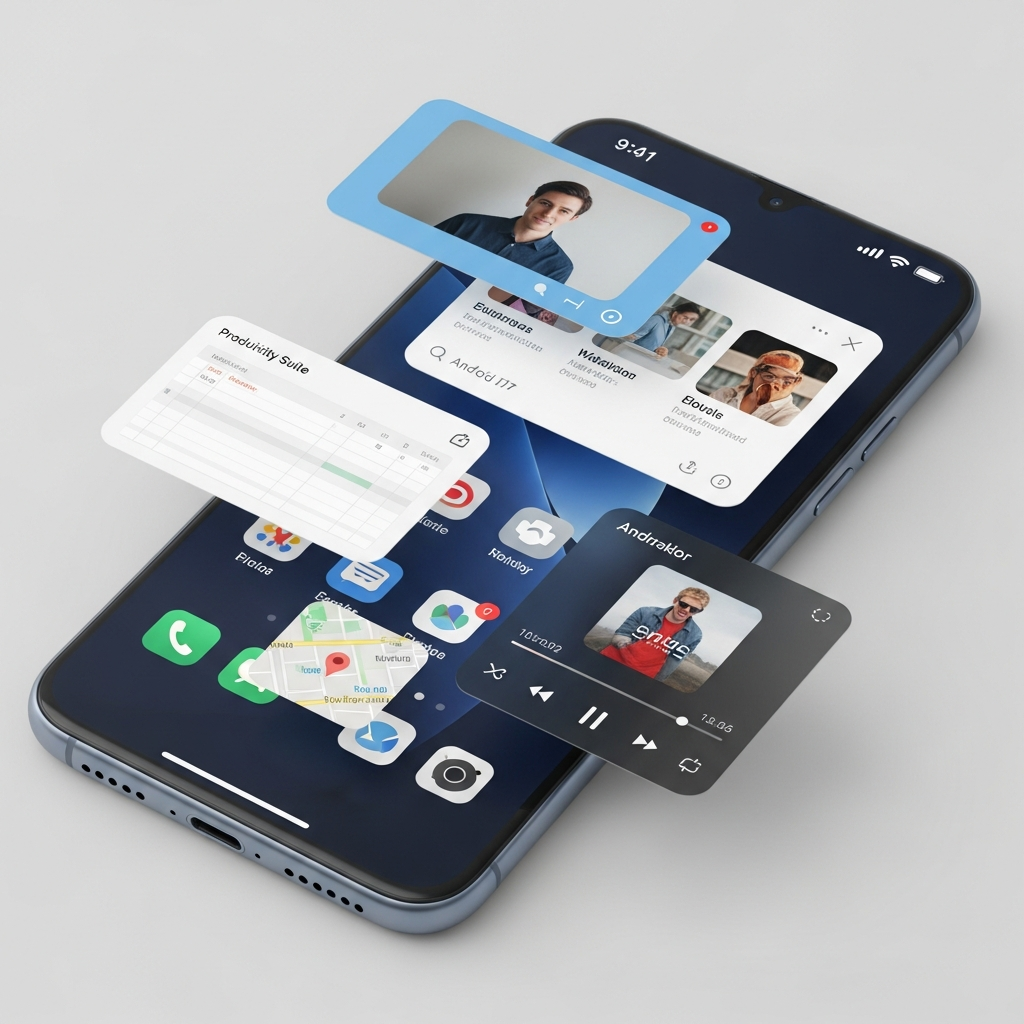
The idea of floating app icons isn’t entirely new. Google Messenger famously employed “Bubbles” for specific contacts, providing quick access to conversations without leaving the current app. However, in Android 17 Beta 3, this concept has blossomed into a full-fledged system-wide multitasking platform. What was once a niche feature is now a robust tool designed for universal application. This means any app can now be converted into a floating window, then minimized into a quick-access bubble.
Previously, achieving a similar floating window required cumbersome steps, often involving the recents screen. Now, the process is intuitive and swift. This streamlined approach elevates app bubbles from a hidden trick to a central, user-friendly multitasking capability. It’s quicker, easier to manage, and genuinely enhances the mobile experience.
How to Harness the Power of App Bubbles
Getting started with the new Android 17 app bubbles is remarkably simple, designed for immediate user adoption. The entire system is built around quick, accessible actions. Here’s a breakdown of how to leverage this powerful new feature:
Creation: To initiate an app bubble, simply long-press any app icon on your home screen or in your app drawer. A new “bubble” option will appear in the context menu. Tapping this option launches the app into a small, floating window.
Minimization and Stacking: Once an app is in its floating window, a quick tap outside the window will minimize it into a floating bubble. You can even stack multiple bubbles on top of each other, creating an organized cluster of your active floating apps.
Interaction: Tapping a stack of bubbles expands it into a compact panel. From this panel, you can effortlessly switch between your open apps, add recently used applications to the stack, or dismiss individual bubbles you no longer need.
Dismissal: To remove a bubble or an entire stack, simply drag it to the “X” button that appears at the bottom of your screen. This clean, efficient dismissal mechanism ensures your screen remains uncluttered when you’re done multitasking.
This system is particularly beneficial for devices with larger displays, such as foldable phones and tablets. On these devices, bubbles can adopt a taskbar-style layout, further enhancing organization and accessibility. The seamless creation and management of these floating windows represent a significant leap forward in Android’s multitasking capabilities.
Beyond Bubbles: Other Key Enhancements in Beta 3
While app bubbles steal the spotlight, Android 17 Beta 3 delivers a comprehensive suite of improvements that impact various aspects of the user experience. These updates range from crucial UI adjustments to significant under-the-hood developer features, solidifying the platform’s stability and future direction.
Streamlined Connectivity & UI Refinements
Google has clearly listened to user feedback regarding everyday interactions. One notable improvement is the separation of Wi-Fi and mobile data controls within the Quick Settings menu. This seemingly minor change makes managing your internet connectivity clearer and more intuitive, preventing accidental toggles and providing a more straightforward overview.
Another aesthetic and functional tweak is the new option to hide app labels on your home screen. This allows for a cleaner, more minimalist user interface, appealing to those who prefer a less cluttered look and rely on highly recognizable app icons. Additionally, the screen recording toolbar has received a redesign, promising improved usability and a sleeker appearance, ensuring a better experience for content creators and anyone needing to capture their screen.
Enhanced Accessibility and Media Control
Accessibility continues to be a core focus for Android. Beta 3 introduces granular audio controls specifically for hearing devices. This enhancement offers more precise and detailed sound management, significantly improving the user experience for individuals who rely on such assistive technologies. Users can now independently route system sounds like notifications, ringtones, and alarms to either their connected hearing aids or the device speaker.
For media enthusiasts and professionals, the update brings several camera and audio advancements. Professional camera apps can now capture 14-bit per pixel RAW images using the new ImageFormat.RAW14 constant, enabling maximum detail and color depth. Hardware partners can also define custom camera extension modes, and a new API helps identify camera types (built-in, USB, virtual). For audio, an extended HE-AAC software encoder improves quality in low-bandwidth conditions, and new Bluetooth LE Audio hearing aid support allows for tailored UI interactions.
Developer Milestones: Platform Stability and New APIs
Android 17 Beta 3 reaches the critical “Platform Stability” milestone. This signifies that all internal and external APIs, app-facing behaviors, and non-SDK API lists are now final. This is crucial for developers, as it means they can begin their final testing and development work with confidence, knowing there will be no further changes that could break their applications. This phase is dedicated to ensuring apps are fully compatible with the upcoming stable release.
Developers gain access to several powerful new APIs:
Widget Support on External Displays: Enhancements ensure visual consistency for widgets across various pixel densities, supporting external displays seamlessly.
Desktop Interactive Picture-in-Picture (iPiP): Apps can request to be moved to a “pinned” windowing layer in desktop mode, remaining interactive and always-on-top, ideal for external monitors.
Photo Picker Customization: Developers can now modify the grid view aspect ratio of the photo picker, offering more flexibility.
System-Provided Location Button: A new Jetpack feature allows apps to embed a secure, system-rendered location button, granting precise location access for a session without system dialogs.
- EyeDropper API: This API allows developers to request a color from any display pixel without needing sensitive screen capture permissions, simplifying design integration.
- www.theverge.com
- 9to5google.com
- www.androidauthority.com
- 9to5google.com
- www.androidcentral.com
Additionally, the update includes OpenJDK 21 & 25 updates for modern features, and new Post-Quantum Cryptography (PQC) Hybrid Signing prepares apps for future quantum computing advancements. These robust changes demonstrate Google’s commitment to a secure, stable, and cutting-edge platform.
Cross-Device Handoff & Privacy Boosts
Beyond individual device improvements, Android 17 Beta 3 introduces Cross-device app Handoff. This powerful feature enables seamless task continuity across your Android ecosystem. Imagine starting to write an email on your phone and effortlessly continuing it on your Android tablet or even a web browser. The system intelligently suggests handoff options on nearby compatible devices, mirroring Apple’s Continuity feature.
Privacy and security receive significant upgrades as well. A new system-level contact picker means apps no longer need full, broad access to your contacts. Instead, the system can grant temporary, read-only access to specific contact fields only when requested by the user. Enhanced SMS OTP (One-Time Password) protection and new safeguards against unauthorized local network access further bolster user privacy, ensuring a more secure digital environment. Even password visibility settings are now more discrete, providing greater control over sensitive information.
Why Android 17 Beta 3 Matters for Your Daily Workflow
Android 17 Beta 3 is more than just a preview; it’s a clear vision of the future of Android. The expanded app bubbles fundamentally alter how we approach multitasking, making our devices genuinely more productive. For users with foldable devices like the Pixel Fold, this feature bridges a crucial gap in multitasking capabilities, offering an additional way to get more information on screen without rigid split-screen limitations. Even on slab-style phones, the convenience of quick-access floating apps is undeniable.
The array of other enhancements, from refined UI elements to robust privacy features and developer tools, demonstrates a holistic approach to improving the user experience. This update empowers users to streamline tasks, maintain privacy, and enjoy a more fluid, responsive, and customizable Android experience. It truly marks a significant step towards making Android devices into sophisticated multitasking machines, tailored to modern demands.
Frequently Asked Questions
What are ‘app bubbles’ in Android 17 Beta 3 and how do they work?
App bubbles in Android 17 Beta 3 are an expanded multitasking feature that allows users to turn virtually any application into a floating, interactive window or minimized bubble. Unlike previous limited implementations, this update integrates the functionality system-wide. Users can create a bubble by long-pressing an app icon and selecting the “bubble” option. The app then opens in a small floating window, which can be minimized into a persistent bubble. Multiple bubbles can be stacked, allowing for quick switching between apps and efficient use of screen space, making it a powerful tool for enhanced productivity.
Which Pixel devices are compatible with Android 17 Beta 3 and how can I get the update?
Android 17 Beta 3 system images are available for a wide range of Pixel devices. This includes models from the Pixel 6 series up to the Pixel 10 series, as well as the Pixel Fold and Pixel Tablet. To get the update, users must join the Android Beta Program. Once enrolled, the Beta 3 update will typically be delivered as an over-the-air (OTA) update to their compatible device, allowing them to experience the new features firsthand.
How do Android 17’s app bubbles improve multitasking compared to previous versions?
Android 17’s app bubbles significantly enhance multitasking by simplifying the creation and management of floating applications, making the process intuitive and user-friendly. Previously, similar floating windows were cumbersome to activate, often requiring multiple steps from the recents screen. Now, users can directly convert any app into a bubble via a long-press, stack multiple apps, and switch between them efficiently. This streamlined workflow eliminates constant app switching, allowing users to reply to messages, check notes, or watch videos without leaving their primary activity, effectively turning the phone into a more versatile multitasking machine.
Embrace the Future of Android Productivity
Android 17 Beta 3 ushers in an era of unprecedented mobile productivity, centered around the intuitive and powerful new app bubbles. Coupled with refined UI elements, critical accessibility enhancements, and a strong foundation of platform stability, this update is poised to significantly upgrade your daily digital interactions. Whether you’re a power user or simply seeking a more efficient way to manage your tasks, the advancements in Android 17 Beta 3 offer genuine value. Stay tuned for the stable release to fully integrate these transformative features into your everyday life.