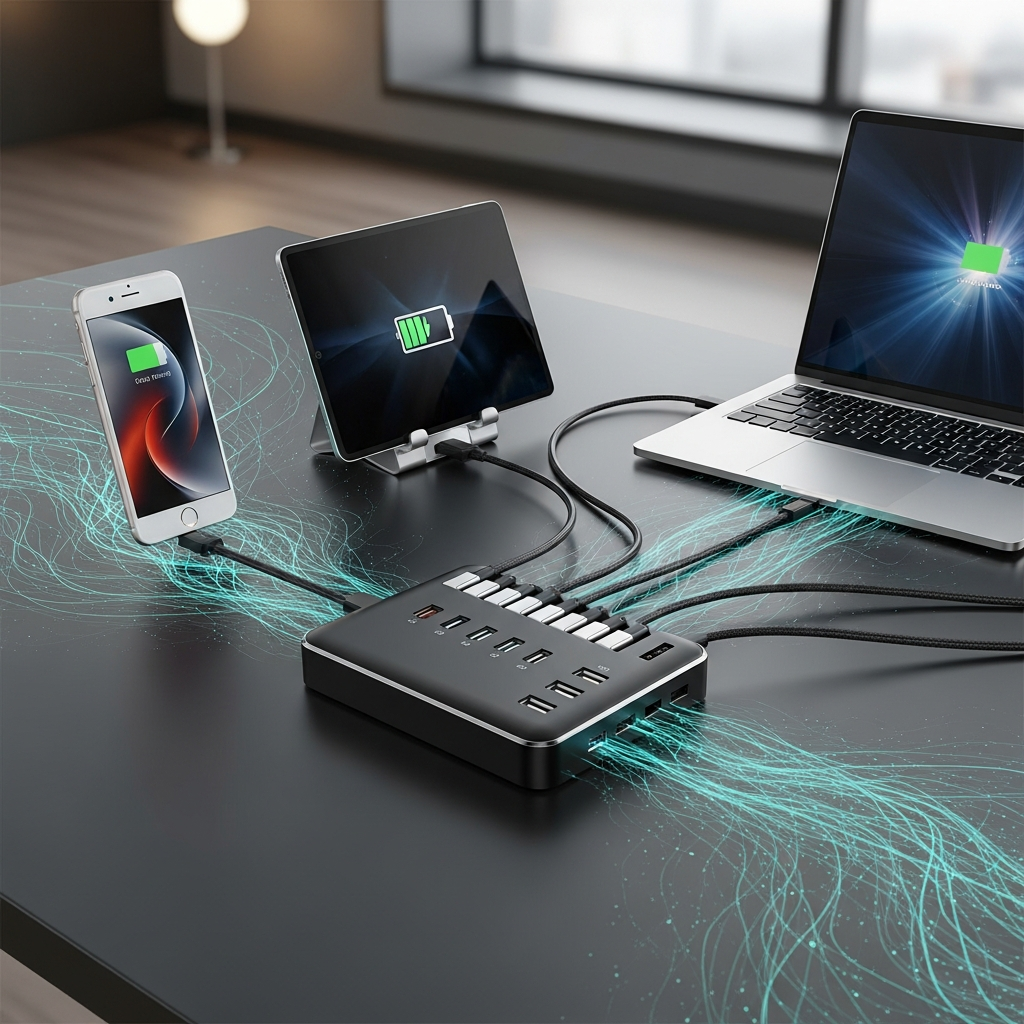
In today’s connected world, a reliable USB charger isn’t just a convenience – it’s an absolute necessity. From our smartphones and tablets to powerful laptops and everyday gadgets, everything relies on a steady stream of power. But with countless options flooding the market, how do you find the absolute best USB chargers that deliver speed, safety, and genuine value? This comprehensive guide cuts through the confusion, revealing top-performing models that will keep all your tech juiced up, whether you’re at home, in the office, or on the go.
The era of relying on an old, slow wall brick is over. Modern devices demand modern charging solutions. We’ve rigorously tested 22 leading USB chargers in the US, ranging from tiny pocket-sized adapters to robust desktop power stations. Our findings, backed by insights from independent safety experts, ensure you invest in a charger that’s not only fast and versatile but also completely safe. Get ready to power up efficiently and confidently!
Why Your Old Charger Isn’t Cutting It Anymore
The “U” in USB stands for “universal,” but sadly, that doesn’t mean every USB charger works equally well for every device. Charging technology has evolved dramatically. If you’re still using an adapter that came with an older phone, you’re missing out on significant speed and efficiency. Today’s gadgets utilize diverse charging speeds, protocols, and port types, primarily USB-C Power Delivery (PD). This advanced standard is crucial for unlocking maximum charging speeds across a vast array of devices, from the latest iPhones and Android phones to powerful USB-C laptops.
Modern fast chargers can boost devices up to three times faster than older 5W adapters. For example, a 20W USB-C PD charger can take an iPhone 13 from empty to over 50% in just 30 minutes. An older 5W charger barely manages 17% in the same time. Investing in a high-quality USB charger means quicker recharges, less waiting, and more productivity or entertainment.
Our Expert Testing Methodology
To identify America’s best USB chargers, our team embarked on an extensive, real-world testing process. We gathered 22 different models from established brands, innovative newcomers, and value-focused contenders. Our selection included everything from compact wall adapters designed for quick phone top-offs to heavy-duty bricks capable of powering a gaming laptop.
We didn’t just plug them in and hope for the best. To truly stress these chargers, we created a sophisticated testing environment. This involved using a “dummy load” – essentially a glorified heater – that allowed us to precisely control and dial in the exact amount of electricity drawn. We also used a 100W studio light with a USB-C connection. This setup confirmed each charger could consistently deliver its advertised peak wattage.
Measuring both power input and output helped us calculate efficiency, revealing how much electricity was wasted as heat. Each charger underwent an hour-long test at a sustained 20W, a common level for phones and tablets. We then used an infrared thermometer to detect any hotspots after 30 and 60 minutes. Finally, chargers rated 30W and above faced a high-wattage stress test, powering the studio light at maximum output for 30 minutes. This pushed them to their limits, ensuring they could run at redline without overheating. After testing, many chargers were donated to La Casa Norte, a Chicago community center.
Top Picks: The Best USB Chargers in 2026
Our rigorous testing revealed a clear set of winners, excelling in performance, safety, and value for various charging needs.
Best Overall USB Charger: Baseus PicoGo AE11
The Baseus PicoGo AE11 stands out as an exceptional all-rounder, combining portability, affordability, and robust performance. This compact charger, only slightly larger than many 20W units, impressively delivers a peak of 67 watts. It features a versatile port configuration with two USB-C and one USB-A port. Its folding wall prongs and feather-light 0.26lbs (0.12kg) weight make it an ideal travel companion.
Why we love it: The AE11’s mix of charging protocols and voltages offers excellent versatility. You can distribute its power across multiple devices simultaneously or direct its full capacity to a single, larger device like a laptop. During our tests, it comfortably supplied 20W for an hour without excessive heat. It also sustained its peak 67W output over half an hour, proving its dependability. This Baseus model provides reliable, fast charging in a solid, compact package.
It’s a shame that… Under full load, it can get quite warm. We measured a 152F (67C) hotspot after 30 minutes, making it uncomfortable to hold. However, some heat is expected with small, high-wattage chargers.
Single-port peak: 67W
Ports: 2x USB-C, 1x USB-A
Weight: 0.26lbs
Certified: TÜV Rheinland
Best Budget USB Charger: Anker 511 Nano 3
For those seeking a simple, elegant solution for a single device, the Anker 511 Nano 3 is an outstanding choice. This minuscule and lightweight charger, weighing a mere 0.08lbs, delivers up to 30W of power through its single USB-C port. This wattage is more than sufficient for fast-charging most modern phones and tablets. It’s also incredibly affordable, making it a smart upgrade from older, slower adapters.
Why we love it: The Anker 511 Nano 3 punches above its weight in a crowded market. It’s lighter than many 20W chargers but provides 50% more power. Its folding wall prongs enhance its packability. In testing, it readily sustained 30W output for our half-hour stress test. At 20W, it remained below 130F for a full hour. Crucially, it supports a wider range of voltages than many chargers of its size, ensuring broad device compatibility.
It’s a shame that… It only has a single port. Competing 30W chargers sometimes offer an additional USB-A port, which could be more versatile for users with mixed device ecosystems.
Single-port peak: 30W
Ports: 1x USB-C
Weight: 0.08lbs
Certified: TÜV Rheinland
Best High-Capacity USB Charger: Baseus Blade Power Strip
Never run out of power or reach with the Baseus Blade Power Strip. This versatile station offers three USB-C ports (one capable of 140W peak), a USB-A port, and two pop-up AC outlets. Its integrated 5ft cord brings power precisely where you need it, whether you’re behind a hotel bed or at a cafe.
Why we love it: The Blade Power Strip is a true powerhouse. It can supply up to 140W through a single port, easily handling even power-hungry laptops, while still having headroom for phones, earbuds, and other accessories. A small built-in display conveniently shows real-time power delivery for each port. During our tests, it remained cool at 20W for an hour and reached a manageable 145F after 30 minutes at 100W. Its slim design is surprisingly travel-friendly, and the AC pass-through feature is invaluable in situations with limited outlets.
It’s a shame that… The extra-thin AC cable is proprietary. Losing it would be a significant inconvenience. A retractable USB-C cable would have made this already excellent device truly exceptional.
Single-port peak: 140W
Ports: 3x USB-C, 1x USB-A, 2x AC
Weight: 1.01lbs
Certified: TÜV Rheinland
Best Laptop USB Charger: Ugreen Nexode X606
Tired of fumbling with tangled cables for your laptop? The Ugreen Nexode X606 offers a powerful, convenient solution with a nearly 2.5ft retractable USB-C cable built directly in. This eliminates the need to carry or remember a separate charging cable for your primary device.
Why we love it: This all-in-one charger is incredibly practical. The retractable cable spools out smoothly and retracts with a tug, promoting a tidy workspace or bag. Beyond its main cable, it includes two additional USB-C ports and one USB-A port for charging other devices. The power prongs also fold neatly. Performance-wise, the Nexode X606 excelled, supplying a consistent 100W for half an hour with a minimal hotspot of 134F. It stayed exceptionally cool, at just 93F, during our 20W sustained test. Its slightly heavier build helps dissipate heat effectively, allowing it to sustain high wattages longer than lighter alternatives.
It’s a shame that… At 0.66lbs, it’s noticeably heavier than some 100W competitors. This added bulk, while beneficial for heat management, might be a consideration for extreme minimalists.
Single-port peak: 100W
Ports: 2x USB-C, 1x USB-A, 1x retractable USB-C cable
Weight: 0.66lbs
Certified: TÜV SÜD
Best Desktop USB Charging Station: Anker Nano 7-in-1 Charging Station
For those who primarily work or charge devices in one spot, the Anker Nano 7-in-1 Charging Station (100W) offers a streamlined, one-stop solution. This thoughtfully designed dock, tethered by a 5ft power cord, provides twin 2.3ft retractable USB-C cables, three grounded AC outlets, and a clear display for charging rates.
Why we love it: Anker clearly prioritized a clean aesthetic and practical functionality. Its forward-facing display and rear-hidden AC outlets maintain a tidy desk. The retractable USB-C cables disappear completely when not in use, further reducing clutter. Despite its desktop focus, its size isn’t prohibitive for occasional travel. The station’s larger footprint effectively manages heat, allowing it to hold 100W output for half an hour without overheating. It also stayed temperate during an hour-long 20W test.
It’s a shame that… Its total output is capped at 100W. While sufficient for most devices, very high-performance laptops could benefit from 140W or more for sustained heavy loads. Anker offers more powerful stations, but often with trade-offs in compactness or features.
Single-port peak: 65W
Ports: 1x USB-C, 1x USB-A, 2x Retractable USB-C cables
Weight: 1.33lbs
Certified: TÜV Rheinland
The Best of the Rest: Notable USB Chargers
Beyond our top five, several other USB chargers stood out for specific use cases or unique features.
Rolling Square Supertiny: Most Watts Per Pound
For travelers prioritizing minimal weight, the Rolling Square Supertiny is unmatched. At just 0.17lbs, it’s as small as some 20W chargers but delivers an impressive 65W, enough for fast-charging phones and many laptops. It also proved highly efficient at 94.35% in our 20W test, keeping temperatures low (108F). Its compact design ensures it fits almost anywhere.
Baseus PicoGo AE21: Highly Portable 100W Charging
The Baseus PicoGo AE21, a larger sibling to our overall best pick, offers 100W charging from two USB-C and one USB-A port. It features a real-time power usage display and remains remarkably compact for its wattage (0.37lbs). It’s ideal for powering a laptop and tablet simultaneously. However, under constant 100W output, it will eventually down-regulate as a safety measure, meaning it might not provide consistent 100W for extended periods.
Pisen Bolt Pro TP-C81: Higher-Wattage Applications
If raw wattage is your priority, the Pisen Bolt Pro TP-C81 delivers. It offers four USB-C ports, with a single port capable of 140W output and a total of 160W across all ports. It even includes a high-wattage USB-C cable. Its main downsides are its bulk, lack of a USB-A port, lower efficiency (84% in our 20W test), and notably, no third-party lab certification.
Ugreen Nexode 500W Desktop Charger: Bulk, Stationary Charging Powerhouse
For the ultimate desktop charging solution, the Ugreen Nexode 500W Desktop Charger is a beast. With five USB-C ports and one USB-A, it can output an incredible 240W on a single port and a staggering 500W total. It handles multiple high-power devices simultaneously while staying exceptionally cool. This charger is overkill for most users due to its size (4.16lbs) and price ($200), best suited for professional setups or tech enthusiasts with numerous power-hungry devices.
Understanding USB Chargers: What You Need to Know
Choosing the right USB charger goes beyond just checking the wattage. Several critical factors influence compatibility, safety, and performance.
What Should I Look for in a USB-C Charger?
When buying a charger, scrutinize any deals that seem too good to be true. A charger promising high wattage and numerous ports at an unusually low price might have hidden compromises. Sometimes, it can’t deliver that wattage on a single port. More importantly, cheaper products may forgo rigorous safety testing. Prioritize chargers from reputable brands that explicitly list their certifications.
How Can I Tell if a Charger is Safe?
Safety is paramount. According to Ibrahim Jilani, UL Solutions’ consumer technology director, USB chargers should be tested to the IEC 62368-1 standard. This rigorous protocol is adopted by many testing firms. Always look for clear labeling on the product itself from recognized testing labs. In addition to UL certification, keep an eye out for SGS, Intertek, and TÜV certifications, which are also respected indicators of safety.
Preventing Safety Issues and Spotting Malfunctions
Even well-designed products can encounter problems if used improperly. Jilani advises against covering or confining chargers during use, as this can lead to heat buildup. Always pair your charger with appropriate, high-quality cables. Unplugging chargers when not in use is a good habit. Keep them away from water, pets, and small children to prevent accidents.
Watch out for clear signs of a malfunctioning charger. These include discoloration, scorching, looseness, hissing sounds, or a burning smell. Erratic behavior, like sudden shutdowns or inconsistent power delivery, is also a red flag. A charger should never exceed 170F (77C) at any point, so if it feels painfully hot, stop using it immediately.
Why Doesn’t My USB-C Charger Work with My Device?
It’s frustrating when a charger that seems powerful enough doesn’t work with your USB-C device. The biggest culprit is often a charger that can’t meet the device’s specific power requirements, not just its wattage. While chargers advertise wattage, devices are particular about the voltage they receive. Wattage is calculated as voltage times amperage. A 45W charger providing 15V at 3 amps won’t work for a laptop requiring 20V, even if that laptop only needs 45W.
Do not rely on wattage alone. Always check your device’s documentation for its required voltage and amperage. Ensure the charger you choose supplies the matching voltage. It’s acceptable for a charger to supply more amperage than your device needs, as the device will only draw what it requires. These details are usually listed on the charger itself.
The Critical Role of Charging Cables
Not all USB-C cables are created equal. You must pair a high-wattage charger with a cable capable of handling that power to achieve full charging speed. Unfortunately, cable capabilities aren’t always clearly marked. When purchasing a new cable, always verify its peak wattage rating. Using a low-wattage cable with a powerful charger will limit charging speed and can even pose a safety risk. A cheap, thin cable claiming high wattage is suspicious and could lead to overheating or fire hazards. Always invest in quality, certified cables.
Understanding Charging Protocols: PD, QC, and More
Beyond basic wattage and ports, you’ll see various charging protocols listed on product details, such as PD 3.1, QC 3.0, and SuperVOOC. These standards dictate how chargers communicate with compatible devices to optimize power delivery. Many modern chargers support multiple protocols, ensuring broader device compatibility.
The most crucial protocol is USB Power Delivery (PD) because it’s an integral part of the USB standard. Many devices support some form of PD. USB PD 3.1, for instance, offers charging rates up to 240W. To utilize such high speeds, both your charger and device must support the specific PD protocol. While explaining every standard is complex, focusing on PD compatibility is a reliable approach for most users.
Frequently Asked Questions
What is GaN technology, and why is it important for USB chargers?
GaN, or Gallium Nitride, is a revolutionary semiconductor material increasingly used in modern fast chargers. Compared to traditional silicon, GaN allows for significantly greater power efficiency, higher output, and much more compact designs. GaN chargers can be 30-50% smaller, lighter, and run cooler than their older counterparts. This means you can get a powerful 100W charger that’s pocket-sized, making it ideal for travel and reducing clutter while ensuring effective heat dissipation for safety and longevity.
How do I ensure I’m buying a safe USB charger in the US?
To ensure you’re buying a safe USB charger in the US, always look for clear certification labels directly on the product. Prioritize chargers tested to the IEC 62368-1 standard by recognized independent labs. Key certifications to watch for include UL Solutions (formerly Underwriters Laboratories), TÜV Rheinland, Intertek, and SGS. These marks indicate that the charger has undergone rigorous testing for electrical safety, fire hazards, and overall reliability. Avoid unbranded or excessively cheap chargers that lack these critical safety endorsements.
Should I choose a single-port or multi-port USB charger, and what wattage do I need?
The choice between single-port and multi-port chargers, and the wattage required, depends on your specific devices and charging habits. For a single device like a smartphone, a 20W-30W single-port charger (like the Anker 511 Nano 3) is usually sufficient for fast charging. If you need to charge multiple devices simultaneously, or a power-hungry laptop, a multi-port charger with higher total wattage (e.g., Baseus PicoGo AE11 at 67W or Baseus Blade Power Strip at 140W) is essential. For laptops, aim for a charger that meets or exceeds your laptop’s required wattage (typically 45W-100W, with some gaming laptops needing 140W+). Always verify individual port capabilities, as total wattage is often shared.