The universal dilemma of a dying smartphone battery when you’re short on time is all too familiar. Imagine needing a quick power boost before heading out, but your device stubbornly trickles charge, bogged down by background processes. Google seems to be tackling this exact pain point head-on with a clever new solution: Priority Charging. Unearthed within the code strings of the latest Android 17 Beta 3, this feature promises to deliver rapid power when you need it most, intelligently optimizing your phone’s resources for a truly efficient top-up.
This discovery, a result of a meticulous APK teardown, hints at Google’s ongoing commitment to enhancing the core user experience rather than just chasing headline-grabbing, yet often impractical, raw charging speeds. Let’s delve into what this “quietly useful” feature entails and how it might change the way we power our Android devices.
Understanding Android’s New Priority Charging Mechanism
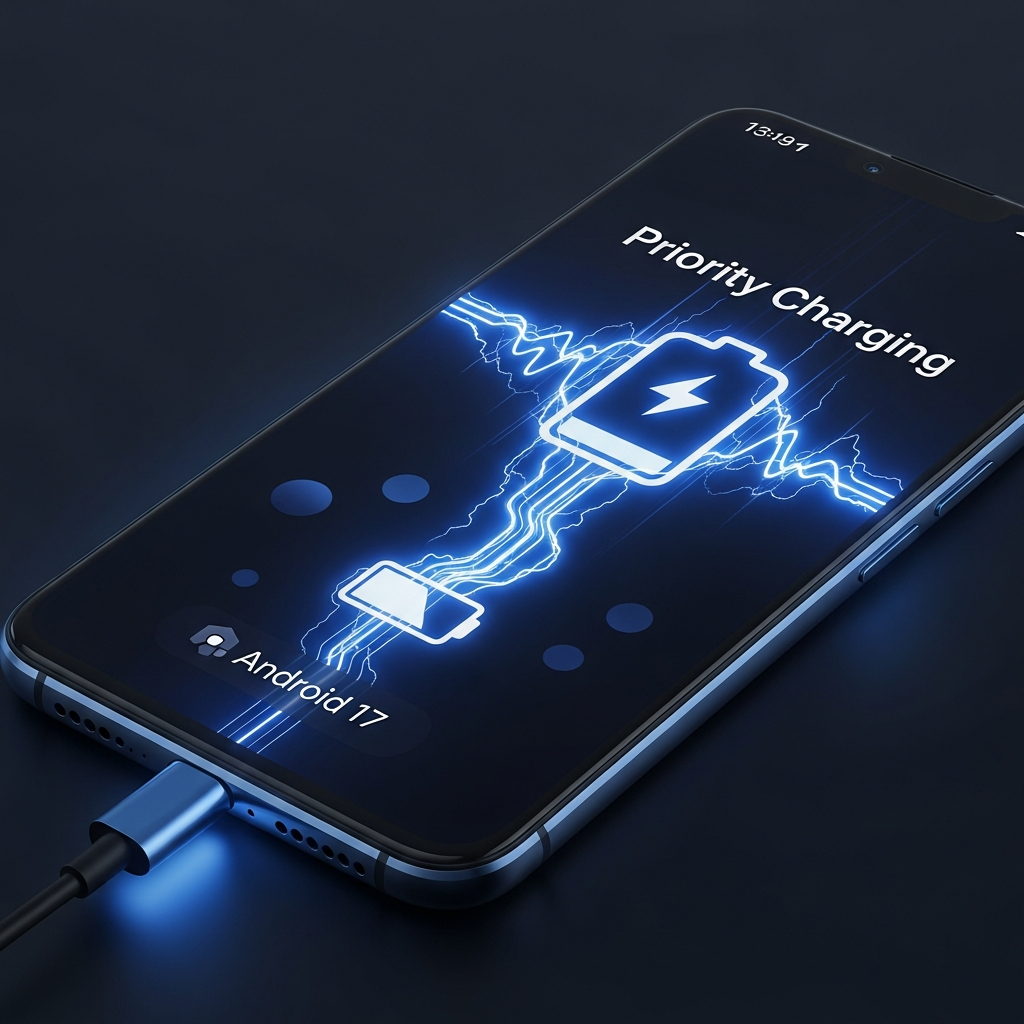
At its heart, Priority Charging is designed as a temporary “focus mode” specifically for your phone’s battery. When activated, it instructs your Android device to reallocate system resources with a singular goal: faster charging. This isn’t just a minor tweak; it’s an intelligent system-level optimization.
The core functionality involves a smart pause of non-essential background activities. Think app updates, background syncs, and other processes that silently consume power and processor cycles. By temporarily halting these tasks, Android 17 frees up valuable system bandwidth and power, channeling it directly into the charging process. Crucially, essential communications such as incoming calls and text messages are explicitly designed to remain active, ensuring you stay connected even while prioritizing power. This targeted resource management aims to maximize the impact of even a short 15-20 minute charging session, providing a significant boost when time is of the essence. It represents a shift towards smarter power allocation, making every minute on the charger count.
The Synergy of Hardware and Smart Temperature Control
While Priority Charging is primarily a software innovation, the code strings reveal it’s not meant to work in isolation. For optimal performance, Google recommends pairing the feature with a 30W or higher charger. This recommendation underscores that Priority Charging isn’t merely a software trick; it’s a synergistic approach. By ensuring reasonably fast charging hardware is in place, Google guarantees that once background tasks are minimized, ample power can be delivered directly to the battery, allowing the software optimizations to truly shine.
A critical, and often overlooked, aspect of rapid charging is heat generation. Faster charging inherently produces more heat, which can, over time, degrade battery health and longevity. Recognizing this, the Android 17 Beta 3 code also indicates that when Priority Charging is active, the system will actively manage temperature. This proactive thermal management is vital. It works to keep the battery within safe operating limits, preventing potential damage while still delivering expedited charging. This thoughtful integration of speed and safety highlights Google’s dedication to sustainable device performance, ensuring that increased charging efficiency doesn’t come at the cost of your battery’s lifespan. It’s a testament to Google’s focus on long-term user value.
The Broader Landscape of Android 17: “Cinnamon Bun” Innovations
The discovery of Priority Charging is just one exciting tidbit from Android 17, officially codenamed “Cinnamon Bun.” This next major iteration of Google’s mobile operating system, slated for a public release in June following Google I/O in May 2026, promises a host of improvements beyond just battery management. The beta program, available for Pixel 6 devices and newer (including the Pixel 10 Pro Fold, Pixel 10 series, Pixel 9 series, Pixel 8 series, and Pixel 7 series), offers an early glimpse into Google’s vision for the future of Android.
Among the anticipated enhancements are significant visual and performance overhauls:
Visual Overhaul with Material 3 Expressive
Android 17 is set to bring an evolution of Google’s Material 3 Expressive design language. Users can expect more dynamic theming, fluid and “springier” animations, and refined dynamic color themes that adapt seamlessly to wallpaper choices. Customization options for the Quick Settings panel are also being expanded, allowing for a more personalized user interface. Core UI elements like notifications, the lock screen, and the application launcher are all receiving a fresh, modern aesthetic, aimed at a cleaner, more organized, and visually engaging experience. The Pixel Launcher, for instance, has been slimmed down to maximize display space, while the home screen search bar will feature updated designs and integrated shortcut tools.
Under-the-Hood Performance Boosts
Beyond the visual flair, Android 17 is engineered for a snappier, more responsive experience. A key technical addition is Generational Garbage Collection, a new memory management tool designed to reduce pressure on the phone’s processor. While invisible to the user, this translates into a noticeably smoother and faster overall mobile experience. For photography enthusiasts, professional-grade camera APIs are included. These are specifically designed to eliminate frustrating freezes and stutters when switching between different camera lenses (e.g., from main to ultrawide), ensuring a more fluid and seamless photography workflow. These performance optimizations collectively promise a more robust and reliable operating system.
Enhanced Large-Screen Experience
Google is also addressing critical display issues for larger devices, such as tablets and foldable phones. With Android 17, app developers will no longer have the option to opt out of orientation and resizing requirements on these larger screens. This crucial change ensures that applications properly fill the display and adapt seamlessly to device orientation, preventing apps from being “stubbornly stuck in portrait mode” on devices like the Pixel Fold or Pixel 10 Pro Fold. This significantly enhances the user experience, making multi-tasking and content consumption on larger, more versatile displays far more intuitive and enjoyable.
The AI Revolution: Gemini Integration in Android 17
Another groundbreaking development surfacing in Google app betas, and likely to integrate deeply with Android 17, is the expanded role of Gemini AI. Google is actively testing new capabilities to allow Gemini to directly control actions on Android phones through a “Labs” feature internally codenamed “bonobo,” also referred to as “Get tasks done with Gemini.”
This screen automation feature will enable Gemini to interact with on-screen elements within “selected applications” to assist users with practical actions, such as placing orders or booking rides. While the exact list of supported applications is yet to be disclosed, it points to a future where your Android device is even more proactive and helpful, leveraging AI for contextual assistance. Importantly, Google emphasizes user control: you will always have the ability to stop Gemini and manually take over a task, acknowledging the potential for AI errors and ensuring user agency. Privacy is also a key consideration; if activity tracking is enabled, screenshots of Gemini’s interactions may be reviewed by trained personnel. Users are advised against entering sensitive information into Gemini chats and using screen automation for critical or highly sensitive tasks. Additionally, the beta hints at another feature, “wasabi,” related to creating and managing 3D avatars for Google’s Android XR and Google Meet platforms, further expanding Google’s AI-driven ecosystem.
Why Priority Charging Matters to You
Priority Charging, much like the broader enhancements in Android 17, embodies Google’s philosophy of delivering genuinely useful, everyday features that make a real difference in users’ lives. It’s a pragmatic solution to a common frustration, offering a powerful boost when time is short, without compromising your device’s long-term health. Instead of merely offering “flashy charging speed upgrades” that might overlook battery longevity, Priority Charging offers a balanced, intelligent approach.
While it’s currently still under development and not yet visible in user-facing settings within Android 17 Beta 3, its potential impact is clear. If it makes the final cut, this feature is anticipated to be a quietly indispensable addition that Pixel users, and eventually the wider Android ecosystem, will come to appreciate deeply. It signifies a smarter, more resourceful Android experience where your device works harder and more efficiently to meet your immediate needs.
Frequently Asked Questions
What is Android 17’s “Priority Charging” feature and how does it work?
Android 17’s “Priority Charging” is a new feature, discovered in Beta 3, designed to provide significantly faster charging when you’re short on time. It works by temporarily pausing non-essential background activities like app updates, reallocating system resources to optimize the charging process. Essential functions such as calls and texts remain unaffected, ensuring you stay connected. It’s a battery-focused mode to maximize efficiency during quick 15-20 minute charge sessions.
Which devices will support Android 17 and its new features like Priority Charging?
Android 17, codenamed “Cinnamon Bun,” is expected to be released publicly in June 2026. The beta program is currently available for Google Pixel devices from the Pixel 6 series onwards, including the Pixel 6, 6 Pro, 6a, Pixel 7, 7 Pro, 7a, Pixel 8, 8 Pro, 8a, Pixel 9, 9 Pro, 9a, Pixel 10, 10 Pro, 10a, and Pixel Fold/Pro Fold models. Other Android OEMs like Samsung and Xiaomi are expected to roll out their adaptations of Android 17 later, around Q3 2026.
Is Priority Charging safe for my Android phone’s battery health?
Yes, the code strings for Priority Charging indicate Google has built in active temperature management. Faster charging can generate more heat, which can negatively impact battery longevity. However, this feature will automatically manage any temperature changes, keeping the battery within a safe and normal operating range. This shows Google’s commitment to protecting battery health even while enhancing charging speed, balancing rapid power delivery with long-term device durability.
Conclusion
The future of Android, as teased by Android 17 Beta 3, is shaping up to be smarter, more efficient, and incredibly user-centric. Google’s innovative Priority Charging feature promises to be a game-changer for those moments when every percentage point of battery matters. Coupled with comprehensive visual overhauls, significant performance boosts like Generational Garbage Collection and enhanced camera APIs, and the exciting integration of Gemini AI for screen automation, Android 17 is poised to deliver a refined and deeply intelligent mobile experience. While still in development, these glimpses into “Cinnamon Bun” paint a compelling picture of an operating system truly designed to make our digital lives more seamless and powerful. Stay tuned for Google I/O 2026, where we anticipate a full unveiling of everything Android 17 has in store.