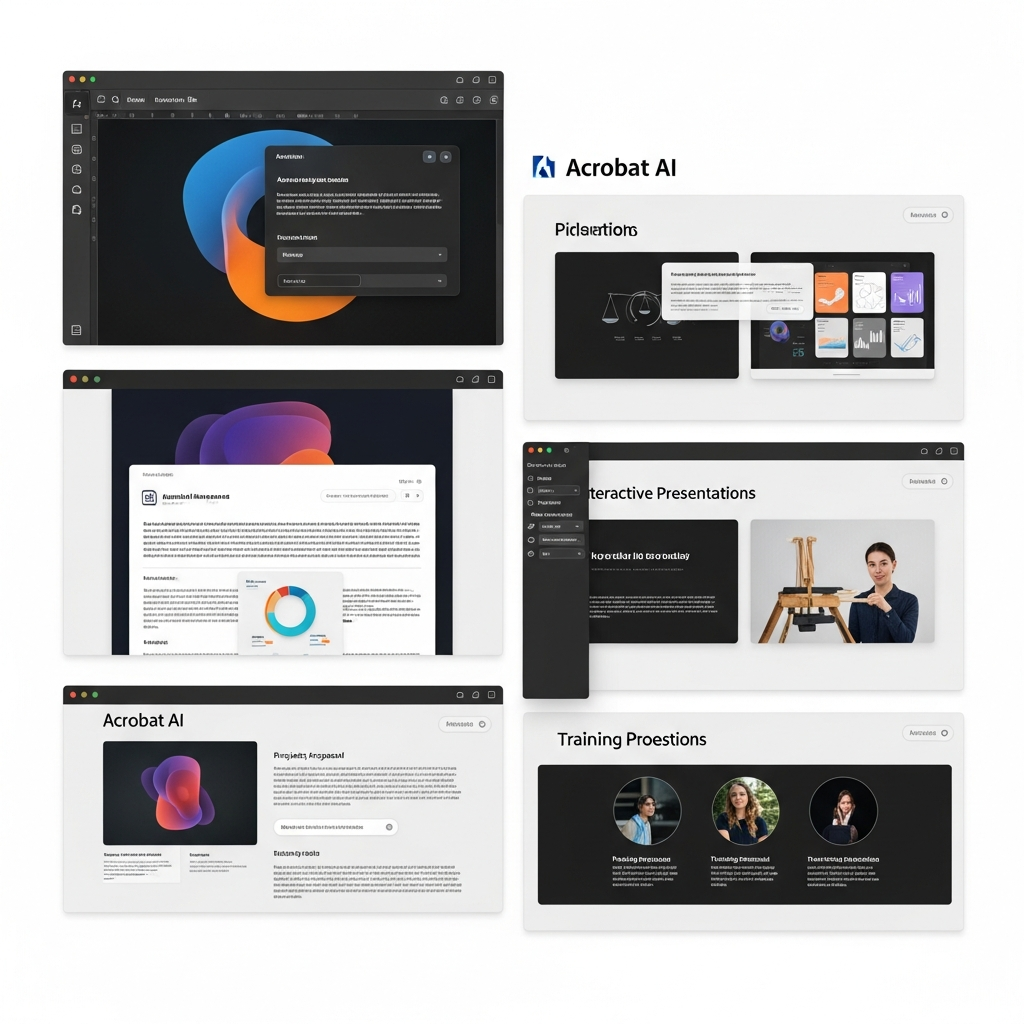
The landscape of digital document management is rapidly transforming, driven by the relentless pace of artificial intelligence innovation. Adobe, a long-standing leader in creative and document solutions, is at the forefront of this shift, aggressively embedding cutting-edge AI capabilities across its product suite. The latest significant enhancements arrive in Adobe Acrobat, transforming the static PDF into a dynamic, intelligent, and highly collaborative tool. These updates promise to unlock unparalleled productivity, streamline workflows, and empower users to interact with their documents in entirely new, intuitive ways. From generating stunning presentations to crafting personalized podcast summaries and editing files with simple conversational prompts, Adobe Acrobat AI is poised to redefine how we manage, create, and share information.
Adobe’s Strategic AI Push: Redefining Digital Workflows
Adobe’s commitment to integrating AI into its core offerings reflects a broader industry trend towards intelligent automation. With these new features, Acrobat moves beyond being merely a robust PDF editor to become an AI-powered content creation and insights hub. This strategic evolution aims to simplify complex tasks, accelerate decision-making, and enhance creativity for a diverse user base, from individual professionals to large enterprises. The updates build on three foundational pillars: fostering faster AI insights, enabling tailored sharing, and facilitating sophisticated content creation through Adobe Express integration.
Unleashing Presentation Power with AI in Acrobat
One of the most groundbreaking additions to Adobe Acrobat AI is the ability to generate comprehensive presentations directly from your documents using natural language prompts. Gone are the days of painstakingly transferring information from reports to slides. Acrobat now empowers users to create professional, visually engaging presentations in minutes.
The Adobe Spaces Advantage
At the heart of this innovation lies “PDF Spaces,” a collaborative knowledge hub launched by Adobe last year. Users can aggregate various types of information—financial reports, product specifications, competitive analyses, or even web pages—into these intelligent workspaces. The AI Assistant then analyzes this consolidated data, understands its context, and crafts an initial presentation outline. Imagine a sales professional with detailed client financials, product plans, and competitor data in a Space. They can simply prompt the AI to “create a pitch deck for a client highlighting how our product solves their problems better than rivals.” The AI instantly generates an editable presentation with key points, allowing users to specify desired length and tone.
Seamless Integration with Adobe Express
Once the AI generates a draft presentation, Acrobat leverages the power of Adobe Express. This integration provides access to a vast library of over 500,000 templates, stock photos, videos, and professional design elements. Users can refine their presentation directly within Acrobat, utilizing Express’s intuitive AI-powered editing tools. Swapping images, altering fonts, rewriting copy, embedding videos from Adobe Stock, or animating slides becomes effortless. Crucially, teams can apply their brand kits for consistent visual identity and invite collaborators for final edits and feedback, ensuring a polished, professional output every time. This robust integration positions Acrobat as a powerful tool for visual content creation, rivaling platforms like Canva in its ease of use for generating compelling presentations.
Transform Documents into Engaging Podcasts
For those who struggle to digest lengthy reports or prefer auditory learning, Adobe Acrobat AI introduces a truly innovative “Generate podcast” feature. This goes beyond simple text-to-speech, transforming written information into personalized, engaging audio summaries.
Beyond Simple Text-to-Speech
Users can feed notes, transcripts, or extensive reports into a PDF Space and instruct the AI Assistant to summarize the content into a podcast-style audio. The AI can even generate “hosts” to discuss the topic, creating a more dynamic and accessible learning experience. This is particularly useful for busy professionals preparing for meetings on the go, allowing them to catch up on crucial information from their commute, desk, or during a walk. The customization options allow users to tailor the audio output to suit individual learning styles, enhancing information retention.
Versatile Applications for Audio Summaries
The utility of this feature extends far beyond professional contexts. Students can convert dense study guides into hands-free audio lessons. Parents can consolidate school newsletters, event calendars, or family updates into quick weekly audio summaries. Even personal interests, like gardening guides or news digests, can be transformed into engaging, on-demand audio content. This innovative approach by Adobe Acrobat AI addresses a growing demand for flexible content consumption, making knowledge more accessible anytime, anywhere.
AI-Powered PDF Editing Through Simple Prompts
One of the most anticipated updates to Adobe Acrobat AI is the ability to directly edit PDF files using natural language prompts. This eliminates the need to navigate complex menus, streamlining common document management tasks with conversational commands.
Streamlining Everyday Document Tasks
Acrobat’s new chat-based AI editor supports a range of 12 actions, allowing users to perform various modifications by simply describing them. This includes critical functions like removing specific pages, deleting blocks of text, stripping out comments, or extracting images. Users can also instruct the AI to find and replace words or phrases across the document, add e-signatures, or apply password protection. For instance, a user could prompt, “Remove the third page and replace ‘pending’ with ‘approved’ throughout the document.” This intuitive interface significantly accelerates document preparation and refinement, making Adobe Acrobat AI a powerful assistant for everyday tasks.
The Interactive Help Panel
Further enhancing user experience, an improved Help Panel within Acrobat offers clear, step-by-step instructions and troubleshooting support, all accessible via the same chat interface. This means users can get immediate assistance or discover new functionalities without leaving their workflow, reinforcing Acrobat’s role as an intelligent, user-friendly document platform.
Enhanced Collaboration with AI-Driven PDF Spaces
Collaboration is a cornerstone of modern productivity, and Adobe Acrobat’s AI enhancements extend significantly to shared workflows within PDF Spaces. These updates aim to foster quicker understanding and more efficient decision-making for teams.
Intelligent Summaries and Citations
When files are shared within PDF Spaces, they now automatically house AI-generated summaries. Crucially, these summaries come with precise citations that point to the exact location within the original document. This feature dramatically improves comprehension for collaborators, allowing them to quickly grasp the essence of a document and verify information with ease. Contributors can still comment on files, add, or remove content as before, but with the added benefit of AI-powered insights facilitating their review.
Customizing Your AI Assistant
To further personalize the collaborative experience, Acrobat’s AI assistant now offers more specialized interaction. Users can choose from default AI assistant roles or select specific personas like “analyst,” “entertainer,” or “instructor,” tailoring the AI’s output and interaction style to their specific needs. For highly specialized tasks, users can even create entirely custom assistant roles using their own prompts, allowing for bespoke AI support within complex workflows. This flexibility ensures that the Adobe Acrobat AI adapts to the user, not the other way around.
Who Benefits Most from Acrobat’s AI Innovations?
These comprehensive updates to Adobe Acrobat AI are designed to empower a broad spectrum of users, fundamentally changing how various groups interact with digital documents.
Professionals Across Industries
Sales professionals: Can collaborate with account teams in PDF Spaces, quickly generating high-impact pitch decks tailored to client needs and using podcast-style audio for hands-free preparation before crucial meetings.
Marketing teams: Can organize market research data in PDF Spaces, transform insights into AI-powered presentations, and craft targeted marketing materials with unprecedented speed.
Legal advisors: Benefit from streamlining contract work, generating polished legal documents, and utilizing personalized podcasts to quickly grasp complex regulatory updates or case briefs.
Project Managers: Can use AI-generated summaries to keep teams aligned on large documents and quickly turn project reports into presentation outlines.
Empowering Students and Individuals
Students: Can generate study guides, collaborate on group projects in PDF Spaces, and create engaging presentations for class assignments with minimal effort. The podcast feature is excellent for auditory learning.
Parents: Can manage school schedules, travel plans, and holiday logistics efficiently in PDF Spaces, creating audio updates for family organization, transforming administrative tasks into manageable audio snippets.
- Writers and Researchers: Can quickly summarize extensive research papers or articles into digestible audio formats, or use prompt-based editing to refine drafts faster.
- techcrunch.com
- blog.adobe.com
- www.techradar.com
- www.zdnet.com
- www.newsbytesapp.com
The Future of Document Management: Adobe Studio
All these powerful capabilities—Acrobat Pro, the AI Assistant, and Adobe Express Premium features—are consolidated within Acrobat Studio. This integrated platform signifies Adobe’s vision for a future where document interaction is not merely about reading and editing, but about dynamic content creation, intelligent insights, and seamless collaboration. Acrobat Studio empowers users to move beyond static PDF usage, enabling dynamic content creation and interaction that were previously laborious or considered impossible, firmly establishing Adobe Acrobat AI as a pivotal tool in the digital workspace.
Frequently Asked Questions
What new AI capabilities are available in Adobe Acrobat?
Adobe Acrobat has introduced several powerful AI features, including the ability to generate presentations directly from documents within “PDF Spaces” using text prompts, create personalized podcast summaries from files, and edit PDF content through natural language commands. Additionally, AI-generated summaries with citations now enhance shared files in PDF Spaces, and users can customize their AI assistant’s role to suit specific tasks or interaction styles.
How does Adobe Acrobat AI integrate with other Adobe products like Express?
Adobe Acrobat AI seamlessly integrates with Adobe Express, particularly for presentation generation. After the AI assistant outlines a presentation from your documents, it leverages Adobe Express’s vast library of templates, stock photos, and design tools to create visually compelling slides. Users can then refine these presentations directly within Acrobat, utilizing Express’s AI-powered editing features for tasks like image swapping, font changes, and text rewriting, ensuring a unified and efficient creative workflow.
Is Adobe Acrobat AI suitable for small businesses and individuals, or just large enterprises?
Adobe Acrobat AI is designed to benefit a broad spectrum of users, making it highly suitable for small businesses and individuals, alongside large enterprises. Its intuitive, prompt-based editing and content generation features significantly streamline common tasks like creating marketing pitches, summarizing reports, or organizing personal documents. The integration with Adobe Express and collaborative PDF Spaces offers versatile solutions that empower individuals, students, and small teams to enhance productivity, creativity, and overall document management efficiently.
Conclusion
The latest wave of AI enhancements in Adobe Acrobat marks a significant leap forward in digital document management. By integrating generative AI for presentations and podcasts, alongside conversational editing capabilities, Adobe is not just updating a product; it’s redefining the very interaction we have with our documents. These intelligent tools empower users to extract insights faster, create standout content with unprecedented ease, and collaborate more effectively than ever before. For anyone looking to supercharge their productivity and embrace the future of digital workflows, exploring the new Adobe Acrobat AI features is an essential step. It’s clear that Adobe’s vision is to make every document a dynamic, intelligent, and interactive asset, fundamentally transforming the way we work, learn, and create.