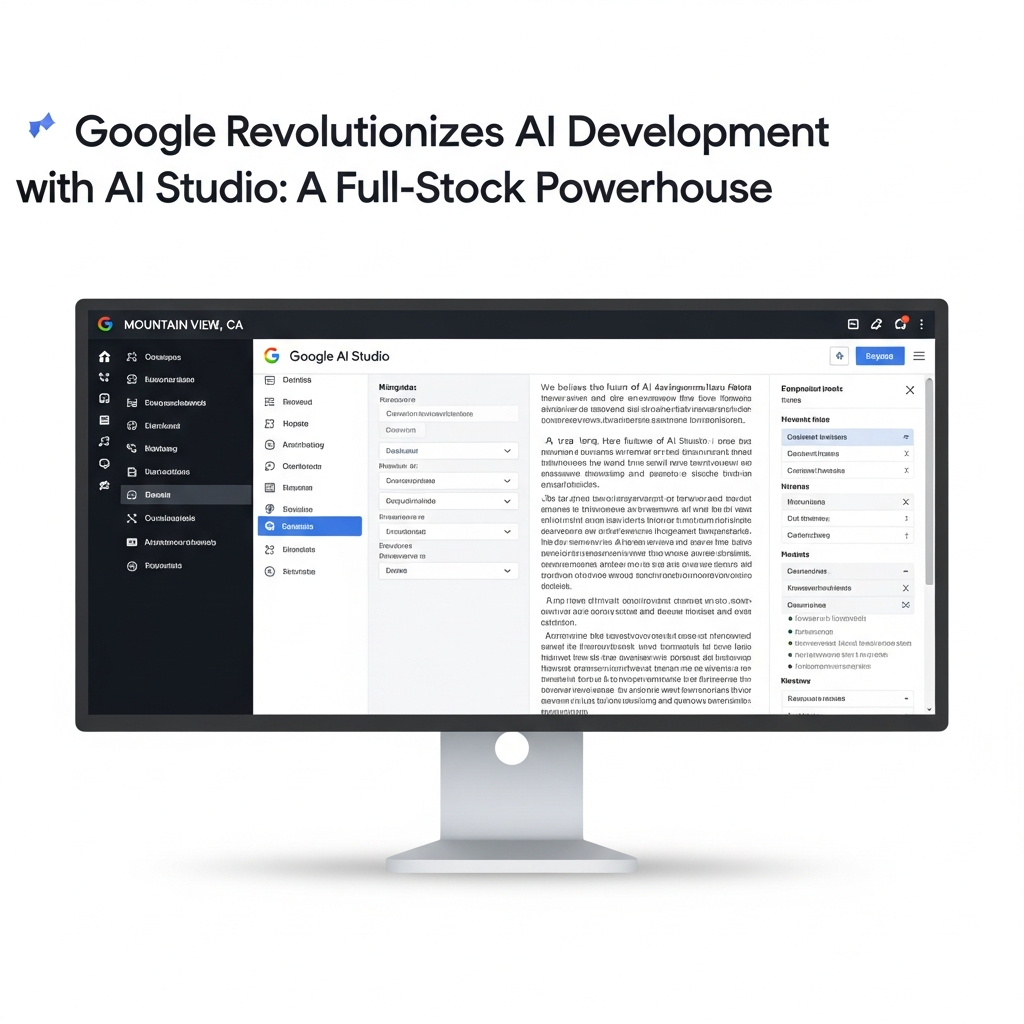
Google AI Studio, once a robust prototyping environment, has undergone a revolutionary transformation. It’s no longer just for experimenting with AI models; it’s now a comprehensive, full-stack development platform. This massive upgrade empowers developers to build, deploy, and scale production-ready AI-native applications entirely within a single, integrated environment. Imagine transforming a conceptual prompt into a fully functional app, complete with backend services and user authentication, in a fraction of the time. That’s the powerful promise of the new Google AI Studio experience, a significant leap forward in developer productivity and AI innovation.
The Full-Stack Revolution: What’s New in Google AI Studio?
This pivotal evolution, largely enabled by the advanced capabilities of Firebase Studio, redefines how developers interact with AI. It merges cloud-based IDE functionality with Google’s powerful AI agents and the extensive Firebase platform. The goal is clear: eliminate setup friction, reduce context switching, and accelerate the entire development lifecycle.
From Prototype to Production: The Antigravity Agent
At the heart of this full-stack transformation is the groundbreaking Google Antigravity coding agent. This intelligent AI assistant goes far beyond simple code generation. It understands your entire project structure, reasoning across multiple files and components to implement multi-step code changes with minimal human intervention. Antigravity accelerates the journey from a nascent idea to a deployed application by anticipating your needs and intelligently provisioning the required infrastructure. It’s like having an expert co-pilot that truly comprehends your vision.
Seamless Backend Integration with Firebase
Building a modern application requires robust backend services. Google AI Studio now offers deep, native integration with Firebase, providing essential capabilities directly within your development workflow. This includes:
Cloud Firestore: A scalable, NoSQL database for flexible and powerful data storage.
Firebase Authentication: Secure user management, offering easy Google sign-in and other authentication methods.
Cloud Functions for Firebase: A serverless (FaaS) solution for writing, testing, and deploying backend logic without managing servers.
The Antigravity agent intelligently detects when your application needs a database or user login. With your approval, it automatically provisions these Firebase integrations, streamlining a process that traditionally involves significant manual setup across multiple consoles. This tight integration dramatically reduces project onboarding time and simplifies iteration for existing codebases.
Modern Web Framework Support & Developer Tools
The enhanced Google AI Studio provides out-of-the-box support for popular modern web frameworks. Developers can now build applications using:
Next.js: A leading React framework for building full-stack web applications.
React: A declarative JavaScript library for building user interfaces.
Angular: A platform for building mobile and desktop web applications.
Beyond frameworks, the Antigravity agent intelligently identifies and installs appropriate external libraries and UI components based on your design needs. Whether it’s Framer Motion for smooth animations or Shadcn for professional icons, the agent ensures you have access to a rich modern web ecosystem without manual dependency management.
Secure Connections with Secrets Manager
Transforming prototypes into production-grade software often requires connecting to external services like payment processors, mapping APIs, or proprietary databases. The new Google AI Studio features a built-in Secrets Manager to handle this securely. You can bring your own API credentials, and the agent detects these requirements, securely storing sensitive information. This eliminates the risk of hard-coding credentials and ensures your applications remain secure from development to deployment.
Unleashing Creativity: What You Can Build Now
The new full-stack capabilities in Google AI Studio, powered by Antigravity and Firebase Studio, unlock an incredible range of application possibilities. This platform moves far beyond static web pages, enabling dynamic, interactive, and intelligent experiences.
Real-time Multiplayer Experiences
Imagine building collaborative tools or engaging games where users interact instantly. Google AI Studio now fully supports the creation of real-time multiplayer applications. Examples include:
First-person laser tag games (e.g., “Neon Arena”): Complete with shared game states and synchronized actions.
Multiplayer 3D particle experiences (e.g., “Cosmic Flow”): Where the agent handles syncing logic and imports libraries like Three.js for rich visuals.
Complex physics-based games (e.g., “Neon Claw”): Featuring claw machine mechanics, timers, and leaderboards, again leveraging advanced 3D libraries.
Data-Driven and Generative AI Applications
The integration with Cloud Firestore and Gemini’s AI capabilities allows for sophisticated data management and generative features:
Real-world connected applications (e.g., “GeoSeeker”): Fetching live data from services like Google Maps or updating external databases using securely stored API credentials.
Generative and collaborative tools (e.g., “Heirloom Recipes”): An application to generate, catalog, and share recipes, powered by Gemini’s creative intelligence.
Beyond Prototypes: Production-Grade Capabilities
This isn’t just about rapid prototyping; it’s about building applications ready for real users. The robust backend, secure API management, and scalable deployment options mean your ideas can seamlessly evolve from experimental projects to enterprise-level software. Google itself has used this new experience to build hundreds of thousands of internal applications, showcasing its production readiness.
The Brain Behind the Build: Agentic AI Development
The shift in Google AI Studio is fundamentally about agent-driven development. Here, AI handles a significant portion of coding, infrastructure setup, and iterative refinement. Gemini’s powerful capabilities are integrated directly into the developer workflow through various intelligent modes.
Understanding Gemini’s Autonomous Agent Modes
Within Firebase Studio, developers can interact with Gemini 2.5 through versatile agent modes, offering deep code understanding and powerful reasoning:
Ask Mode: Ideal for brainstorming, planning, and collaborative problem-solving without altering files. Gemini provides input and suggestions.
Agent Mode: Gemini proposes specific changes to your application. You maintain complete oversight, approving all modifications before they are applied.
Agent (Auto-run) Mode: The most autonomous mode. From a single prompt, Gemini can generate entire applications or add features, making multi-file code changes, writing tests, fixing errors, and refactoring components. For security, user permission is always requested before critical actions like deleting files or executing terminal commands.
These agent modes can even leverage personalized guidance from project-level rule files (like .idx/airules.md or GEMINI.md) to ensure Gemini adheres to specific project requirements and coding standards.
Contextual Intelligence with Model Context Protocol (MCP)
Google AI Studio is also previewing foundational support for the Model Context Protocol (MCP). This innovation allows developers to extend and personalize Gemini workflows by adding MCP servers to their workspace. For instance, a Firebase MCP server can enable natural language exploration of Cloud Firestore data during debugging, while Context7 can provide library-specific context for building apps with technologies like MediaPipe. This ensures Gemini always has the most relevant information to assist you.
Gemini CLI: AI Power in Your Terminal
For developers who frequently use the command line, the Gemini CLI is now directly integrated into Firebase Studio. This powerful, free-to-use tool extends AI capabilities beyond just code generation to content creation and research. With generous usage tiers, advanced AI features, and real-time context from Google Search, the integrated Gemini CLI offers a seamless, AI-powered terminal experience. You can execute commands, manage files, and debug, all with intelligent assistance without ever leaving your terminal.
Google’s Vision: Competing in the AI Dev Landscape
Google’s comprehensive full-stack upgrade for AI Studio is a strategic move in a highly competitive market. With platforms like GitHub Copilot, Replit, and OpenAI also pushing autonomous software creation, Google differentiates itself through tight integration with its own ecosystem.
The Bridge to Google Cloud and Workspace
Looking ahead, Google plans even deeper connections between AI Studio and its broader ecosystem. This includes integration with Google Workspace products like Drive and Sheets, providing direct pathways to scale applications from prototypes to global deployments within Google Cloud infrastructure. This integrated approach is designed to simplify the entire software lifecycle.
Streamlined Deployment with Firebase App Hosting
When your application is ready, deployment is simplified through direct integration with Firebase App Hosting. This managed, serverless platform is optimized for modern full-stack web frameworks. Deployment can be a one-click action or an AI prompt away, automatically provisioning Firebase projects, linking billing accounts, and setting up the App Hosting Backend. It supports continuous deployment by integrating with GitHub, triggering new rollouts upon pushes to designated branches, establishing a modern CI/CD pipeline built on Google Cloud infrastructure. Post-launch, you get observability tools and one-click rollback capabilities for rapid response to issues.
Elevating Design with AI: The Stitch Connection
While Google AI Studio focuses on the development aspect, Google Labs’ Stitch product complements this ecosystem by revolutionizing UI creation with AI. Stitch provides an AI-native software design canvas where “vibe designing” allows users to articulate business objectives or desired user feelings in natural language. This enables rapid exploration of numerous design ideas, instantly transforming static designs into interactive prototypes.
Stitch features an AI design agent that reasons across the entire project, offering real-time critiques and implementing updates based on voice commands. It’s a powerful tool for designers to iterate faster and collaborate seamlessly, bridging the gap between initial concept and development. Critically, designs from Stitch can be exported to developer tools like AI Studio and Antigravity, ensuring a synchronized partnership between designers, AI, and developers for a truly holistic creation process.
Why This Matters for Developers
The transformation of Google AI Studio into a full-stack, agent-driven platform is a game-changer. It means:
Unprecedented Speed: Go from idea to a live, functional prototype in minutes, not hours or days.
Reduced Complexity: Eliminate tedious environment setup and context switching between tools.
Enhanced Productivity: AI handles boilerplate, infrastructure, and multi-step changes, freeing you to focus on innovation.
Seamless Scalability: Leverage Firebase and Google Cloud for production-ready applications from day one.
- Empowered Creativity: Focus on “what to build” rather than “how to build,” letting AI handle the heavy lifting.
- blog.google
- en.cryptonomist.ch
- blog.google
- www.kdnuggets.com
- developers.googleblog.com
This isn’t just an incremental update; it’s a paradigm shift towards an agentic future where AI empowers developers of all experience levels to build professional-quality applications faster and more efficiently than ever before.
Frequently Asked Questions
What is the “Antigravity coding agent” and how does it speed up development in Google AI Studio?
The Antigravity coding agent is an advanced AI assistant integrated into Google AI Studio (specifically Firebase Studio). It acts as a powerful co-developer by understanding your entire project structure, reasoning across multiple files, and performing multi-step code changes based on natural language prompts. It automates tasks like provisioning Firebase databases and authentication, installing necessary libraries (e.g., Framer Motion), and even connecting to external services securely via a Secrets Manager. This significantly reduces manual setup and coding, accelerating the journey from initial idea to deployed application.
How can developers access the new full-stack features in Google AI Studio and what are the cost implications?
Developers can access the new full-stack features primarily through Firebase Studio, which is the platform embodying these enhancements. It requires a standard Google account and a modern web browser. Projects can be initiated by prototyping with AI, starting from a template, or importing existing codebases from platforms like GitHub. Google offers a generous free tier for initial adoption and experimentation. For professional use and larger-scale deployments, developers will connect to the Blaze (pay-as-you-go) plan to cover integrated services and Gemini API usage beyond the free quota, ensuring scalability as their applications grow.
What types of production-ready applications are best suited for building with Google AI Studio’s enhanced full-stack capabilities?
Google AI Studio’s enhanced full-stack capabilities are ideal for a wide range of production-ready AI-native applications that require real-time interactions, robust backend services, and secure integrations. This includes real-time multiplayer games (e.g., laser tag, 3D physics games), collaborative tools, generative AI applications (like recipe generators using Gemini), and data-driven apps that connect to external services (e.g., Google Maps, payment processors) while securely managing API credentials. The platform’s emphasis on seamless Firebase integration and secure API management makes it perfect for building scalable, user-centric, and intelligent applications.
Conclusion
Google AI Studio’s transformation into a full-stack, AI-native development powerhouse marks a new era for developers. By deeply integrating the Antigravity coding agent, the comprehensive Firebase platform, and the intelligent capabilities of Gemini, Google has created an environment where complex applications can be conceptualized, built, and deployed with unprecedented speed and simplicity. This platform not only streamlines the technical aspects of development but also fosters a more creative and efficient workflow, bridging the gap between innovative AI ideas and real-world production-ready software. Step into the future of development; explore the full potential of Google AI Studio today and bring your most ambitious AI-powered applications to life.