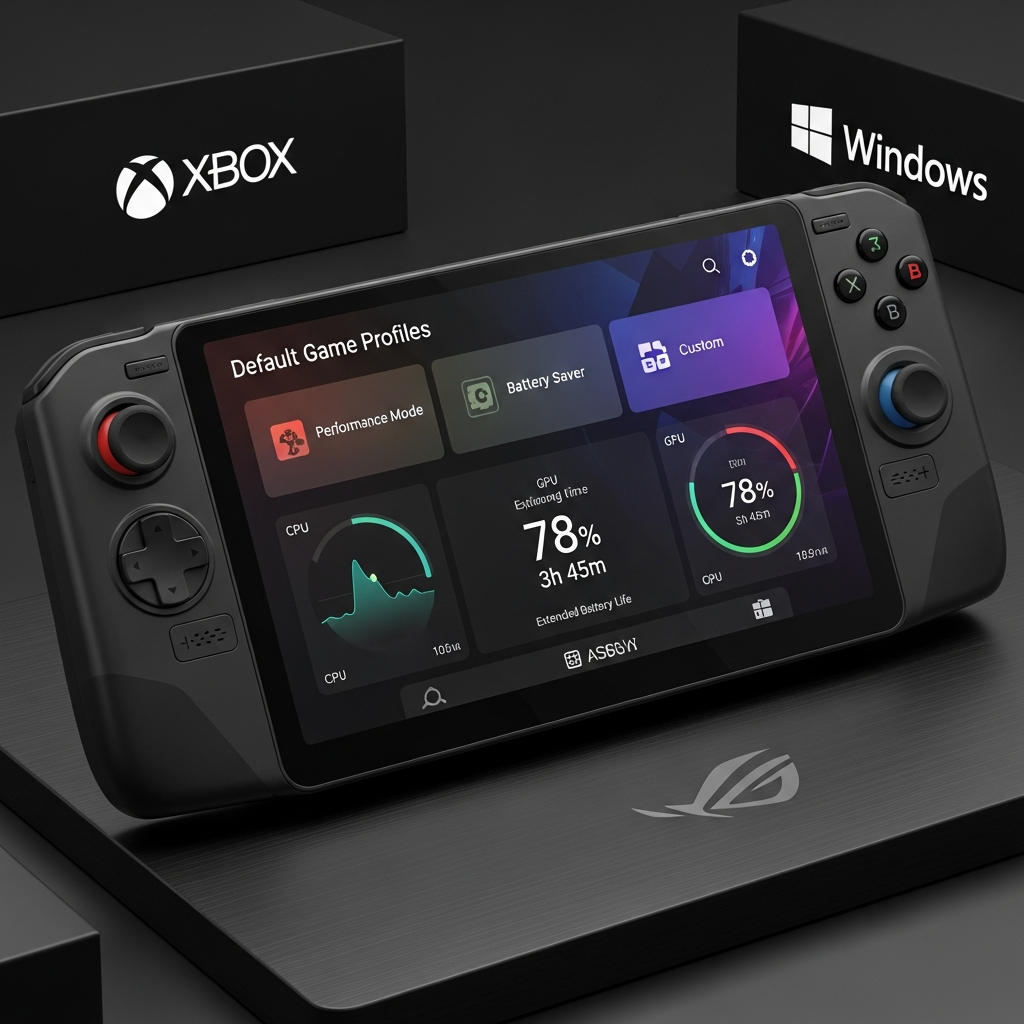
Handheld gaming continues its impressive evolution, with devices like the ROG Ally leading the charge. Recognizing the passionate feedback from its dedicated player community, Xbox, Windows, and ASUS have rolled out a significant update. This update, available in preview, introduces Default Game Profiles – a game-changing feature designed to streamline your experience, optimize performance, and extend battery life, ensuring you spend more time immersed in your favorite titles and less time tweaking settings.
These latest enhancements are a direct response to players shaping the future of portable PC gaming. They promise a smoother, faster, and more reliable experience, demonstrating a strong commitment to continuously raising the bar for the ROG Ally and ROG Ally X handhelds. This article dives into the innovative Default Game Profiles, other crucial improvements, and exciting future features that will further elevate your gaming on the go.
Revolutionizing Gameplay with Default Game Profiles (Preview)
Imagine launching a game and knowing it’s already optimized for the best balance of performance and battery life. That’s the promise of Default Game Profiles. Now in preview, this intelligent feature automates the delicate balance between frame rate (FPS) and power consumption (TDP) for a growing list of supported games. No more manual adjustments – the system handles it, letting you jump straight into the action.
How Intelligent Optimization Works
These profiles are meticulously crafted on a per-game basis, ensuring tailored performance. Crucially, they activate automatically when your ROG Ally is running on battery power. When you launch a supported game, the system applies a customized profile that sets recommended power targets and an FPS limit specific to that title.
The brilliance lies in its dynamic adaptability:
Performance Boost: If your game’s frame rate dips below the target, the profile intelligently boosts power. This prioritizes smoother gameplay, even if it means a slight trade-off in battery life.
Power Saving: Conversely, if a game performs above the target FPS, the profile limits the frame rate. This conserves power, extending your playtime without sacrificing a smooth experience.
The practical benefits are immediate. For instance, in a title like Hollow Knight: Silksong, a Default Game Profile can provide nearly an hour of additional battery life compared to the standard Performance mode, all while maintaining a buttery-smooth 120 FPS. This means uninterrupted adventures and more efficient power usage.
Your Control: Toggle On or Off
While designed for automatic convenience, players retain full control. You can easily toggle Default Game Profiles on or off directly within the Armoury Crate Command Center Game Bar widget. This flexibility ensures you can override the automated settings if you prefer manual fine-tuning for specific scenarios.
Currently Supported Titles
At launch, over 40 games benefit from these optimized profiles, with more planned soon. This initial list includes many prominent first-party and popular titles:
Call of Duty: Black Ops 6
Call of Duty: Black Ops 7
Call of Duty: Warzone
DOOM Eternal
DOOM: The Dark Ages
Forza Horizon 5
Gears 5
Gears of War: Reloaded
Gears Tactics
Halo: The Master Chief Collection
Indiana Jones and the Great Circle
Minecraft
Sea of Thieves
Tony Hawk’s Pro Skater 3+4
Immediate Enhancements Beyond Game Profiles
Player feedback has been a driving force behind a host of other crucial improvements, ensuring a smoother, faster, and more reliable experience across the board for your ROG Ally. These updates address common pain points and enhance overall usability:
Improved Gamepad Responsiveness: Experience quicker and more reliable gamepad input immediately after logging in, eliminating frustrating delays.
Faster Library Loading: Gamers with extensive collections will notice significantly quicker loading times for their game libraries, streamlining access to their vast digital worlds.
Enhanced Cloud Gaming Performance: The Cloud Gaming page now loads faster and is more responsive, offering a smoother streaming experience.
New “Performance Fit” Filter: A valuable addition to the Game Gallery, this filter helps you quickly assess how well games are expected to run on your device, aiding informed game selection.
General Stability Improvements: A range of bug fixes and performance enhancements contribute to improved system stability and responsiveness, making your ROG Ally more dependable.
How to Access the Latest ROG Ally Updates
To experience the Default Game Profiles (Preview) and all the immediate enhancements, ensure your ROG Ally is fully updated. This involves installing the latest versions of Armoury Crate SE, the Xbox PC app, and Windows 11.
For preview features, you’ll need to enroll in the Windows Insider Program, specifically the Release Preview Ring. Here’s a quick guide:
- Navigate to Windows Settings, then select Windows Update.
- Ensure optional diagnostic data is being sent (required for Insider Program).
- Select the Windows Insider Program and follow the prompts to enroll.
- Restart your ROG Ally.
- After restarting, return to Windows Update, check for updates again, and download/install the new build.
- Highlight Reels: AI-powered highlight reels will offer players new, effortless ways to capture and share their most memorable gaming moments directly from their device.
- www.windowscentral.com
- xboxera.com
- twistedvoxel.com
- www.gamespot.com
- www.thurrott.com
ROG Ally and Xbox Game Pass Premium: Unleash Your Library
For new purchasers in select markets, the ROG Xbox Ally and ROG Xbox Ally X continue to offer a fantastic bonus: three months of Xbox Game Pass Premium. This benefit unlocks unlimited Xbox Cloud Gaming, access to a vast library of PC titles, and over 200 games like Forza Horizon 5, Hogwarts Legacy, and Minecraft. It’s a perfect pairing for your powerful handheld, allowing you to jump into top-tier games anytime, anywhere.
Looking Ahead: The Future of ROG Ally Gaming
The commitment to enhancing the ROG Ally experience extends far beyond the current updates. Microsoft and ASUS are actively investing in future improvements based on ongoing player feedback:
Enhanced Sleep and Wake Reliability: Addressing a common request, future updates will focus on making the device’s sleep and wake functions more seamless and dependable for on-the-go gaming.
Improved microSD Card Formatting: Expect more robust and flexible formatting options for microSD cards, crucial for managing game storage on your handheld.
Next-Gen Features: ROG Xbox Ally X & AI Power
Early next year, the ROG Xbox Ally X will introduce even more exciting innovations:
Automatic Super Resolution (Auto SR): Leveraging AI, Auto SR promises to enhance visual fidelity through intelligent upscaling, making your games look even sharper.
Game Save Sync Indicator: Peace of Mind for Your Progress
Coming next week is the Game Save Sync Indicator. This thoughtful feature provides clear status updates, showing exactly when your game progress has synced to the cloud. Whether you’re switching between your PC and your handheld or powering down after a session, you’ll have peace of mind knowing your saves are secure and accessible across devices. No more guessing, no more lost progress – just seamless, stress-free play.
Expanding Full Screen Experience
The full-screen experience, initially optimized for handheld gaming on the ROG Ally, is now expanding. While purpose-built for handhelds to minimize background activity and dedicate system resources to gameplay, a preview of this streamlined mode will soon be available for Xbox and Windows Insiders on other Windows 11 form factors, including desktops, laptops, and tablets. This innovation reflects a broader vision for integrated, performance-focused gaming across the Windows ecosystem.
Frequently Asked Questions
What are Default Game Profiles for the ROG Ally and how do they work?
Default Game Profiles are an innovative feature for the ROG Ally that automatically optimizes game performance and battery life. They are hand-crafted for over 40 specific games and activate when the device is running on battery. These profiles intelligently adjust the Thermal Design Power (TDP) and FPS limits. If a game’s performance dips, the profile boosts power for smoother gameplay; if it exceeds the target, it limits FPS to conserve battery. This automation means less manual tweaking and more consistent, efficient gaming.
How can I access the new Default Game Profiles and other ROG Ally updates?
To access Default Game Profiles and other recent improvements, ensure you have the latest updates for Armoury Crate SE, the Xbox PC app, and Windows 11 installed on your ROG Ally. For the preview features, you must enroll in the Windows Insider Program, specifically the Release Preview Ring. This typically involves navigating to Windows Settings > Windows Update > Windows Insider Program, enabling optional diagnostic data, enrolling, restarting, and then checking for updates again.
What are the main benefits of this ROG Ally update for gamers?
This comprehensive ROG Ally update brings several key benefits for gamers. The Default Game Profiles offer optimized performance and extended battery life automatically, reducing the need for manual adjustments. Beyond this, users will experience improved gamepad responsiveness, faster game library loading, and quicker Cloud Gaming page performance. The new “Performance Fit” filter helps assess game compatibility, and general bug fixes enhance system stability. Future updates promise better sleep/wake reliability, improved microSD support, and AI-powered features for the ROG Ally X.
Conclusion
The latest ROG Ally updates, spearheaded by the intelligent Default Game Profiles, mark a significant step forward for handheld PC gaming. By actively listening to player feedback, Xbox, Windows, and ASUS are delivering an experience that prioritizes performance, battery efficiency, and user convenience. From automated game optimization to faster library loading and exciting AI-powered features on the horizon, the ROG Ally ecosystem is continuously evolving. The future of portable gaming looks brighter than ever, with a clear commitment to delivering seamless, enjoyable, and high-performance experiences for the thriving community. Keep providing your valuable feedback – together, we’re building the future of gaming.